Smart Progression automatically adjusts your weights and reps during a program based on your performance, RIR targets, and rep ranges. This helps provide more accurate recommendations for the ranges you are aiming to hit, rather than relying on guesswork. Instead of deciding how much weight to use or how many reps to target, the app calculates those values for you.
Note #1: The app does not make immediate weight recommendations. You will need to log your training before Smart Progression begins generating recommendations.
Note #2: Smart Progression works with both generated programs and programs built from scratch. For programs built from scratch, recommendations are based on the targets you set (such as reps and RIR).
Go to More > Feature Settings > Workout
Under Smart Progression, toggle Apply in session on or off.
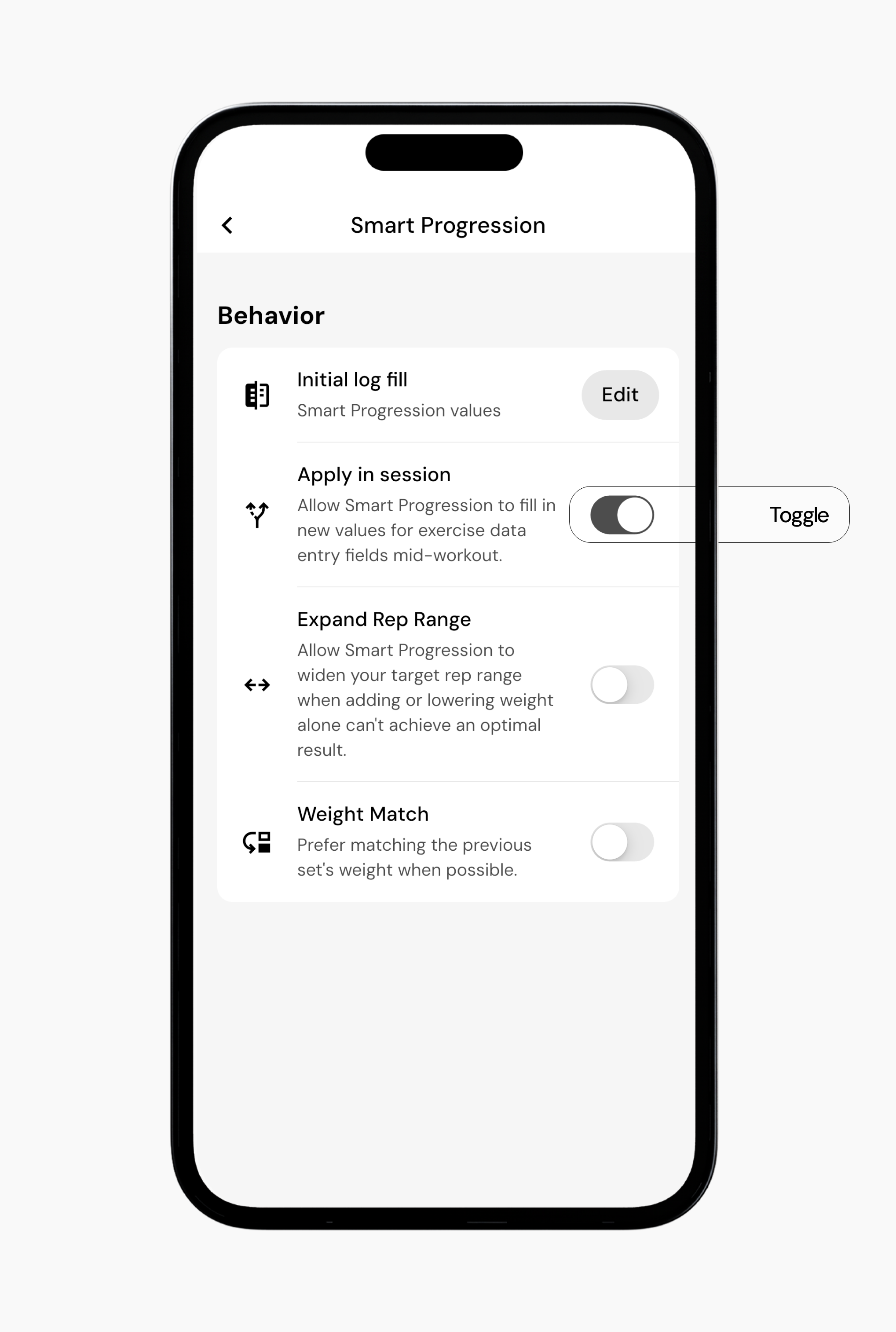
Smart Progression can also control how your workout logs are pre-filled based on your workout history and goals or using your previous logged weight.
Go to More > Feature Settings > Workout
Scroll to Smart Progression.
Beside Initial log fill, tap Edit.
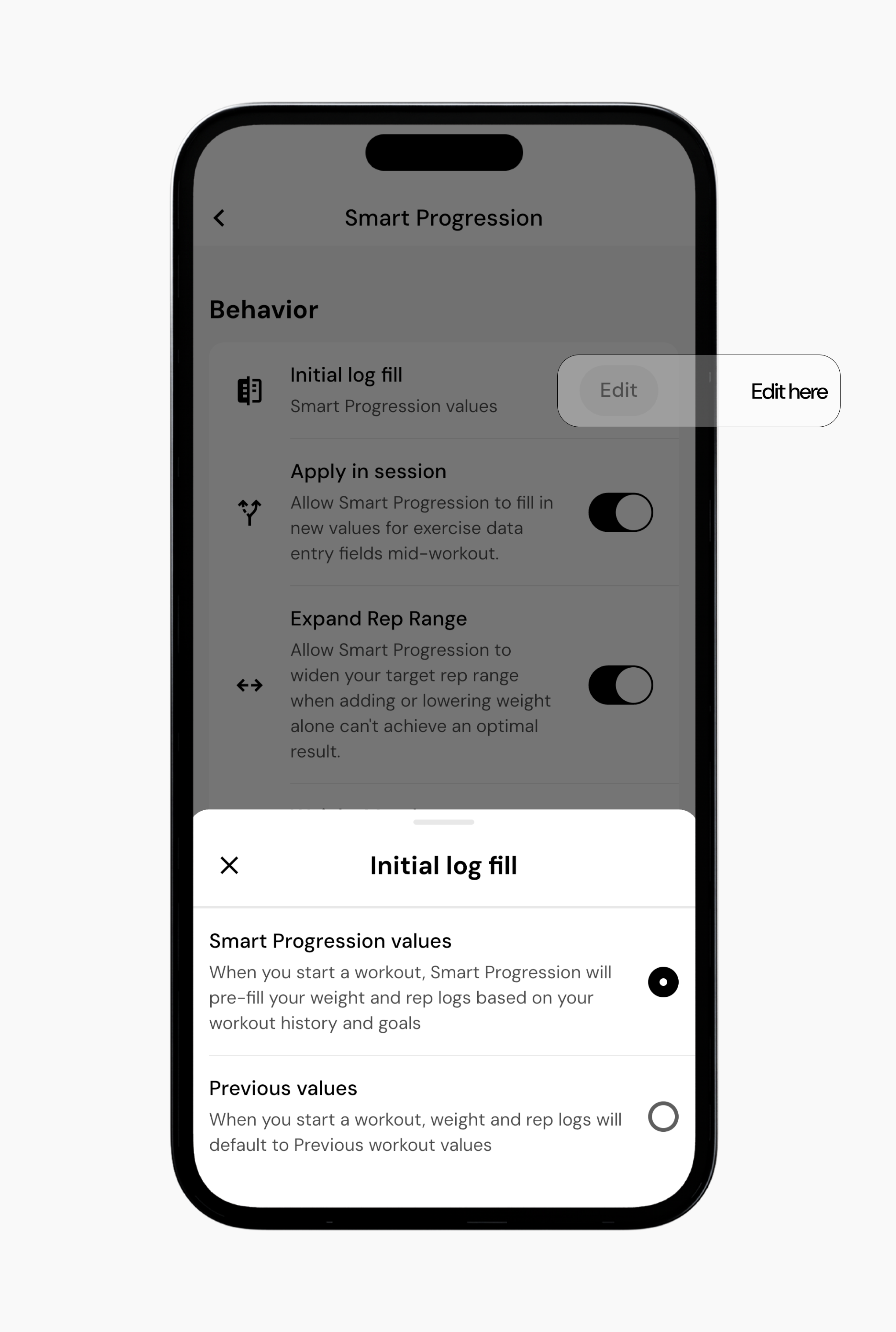
Choose Smart Progression values to pre-fill based on your workout history and goals, or Previous values to use your last logged workout.
Go to More > Feature Settings > Workout
Scroll to Smart Progression.
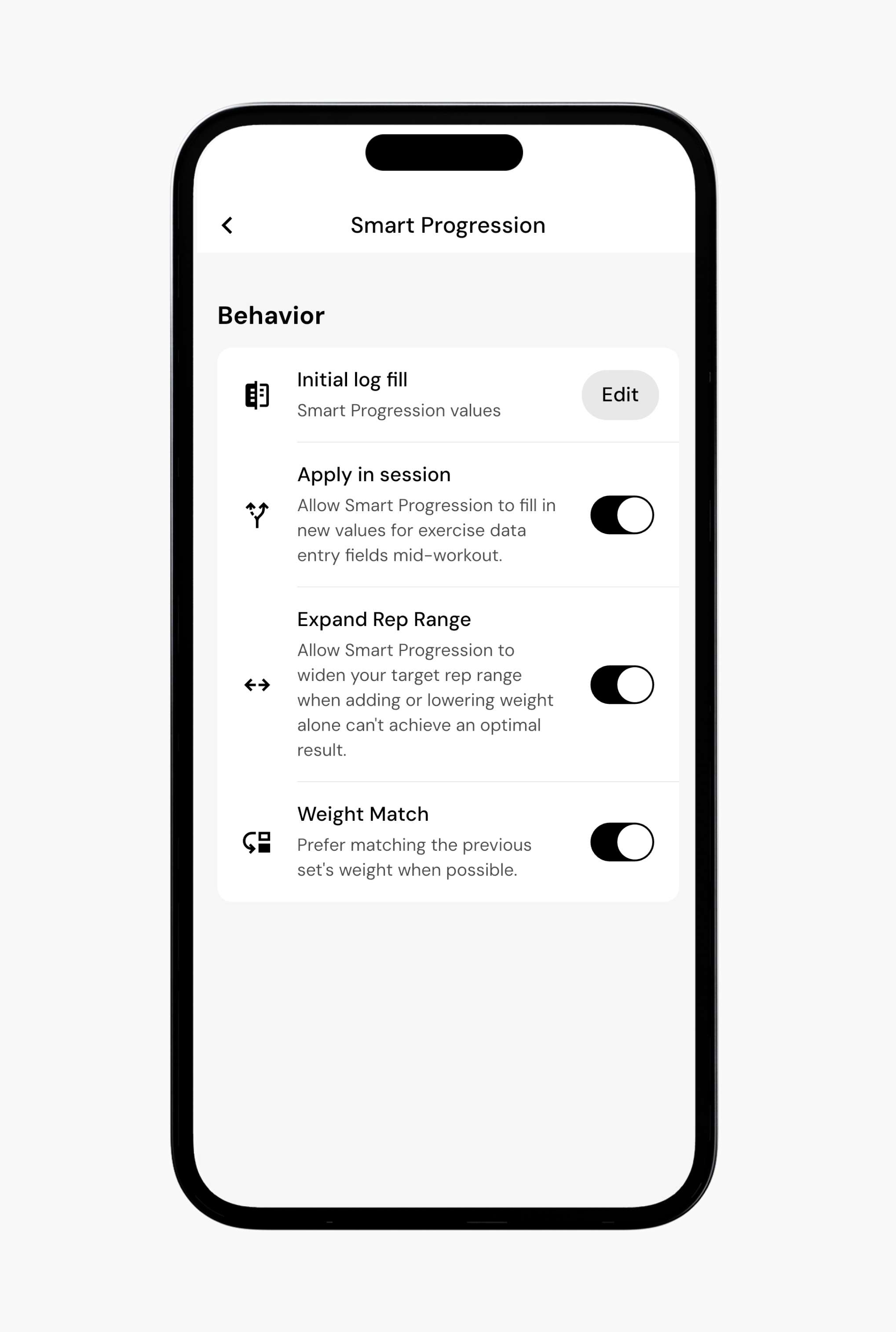
You’ll find two available options:
Expand Rep Range - When enabled, this will allow Smart Progression to widen your target rep range when adding or lowering weight alone can’t achieve an optimal result.
For example, let’s say during your last session, you performed 100 lb x 8 reps.
The next time you perform this exercise, if the next weight jump is too large to produce an optimal target, the app may try 100 lb x 9 reps instead of forcing 105 lb x 8 reps
When Expand Rep Range is disabled, Smart Progression will stay within the original target rep range and prefer changing weight when possible.
Weight Match - Prefer matching the previous set’s weight when possible.
For example, let’s say during your last session, you performed 100 x 8 reps. If matching the previous weight can still produce a good target, the app may try 100 lb x 9 reps, instead of 105 lb x 8 reps.
In some cases, Smart Progression may flag a suboptimal result for a set. This means there is a restriction in your program setup or available equipment that prevents the algorithm from making an optimal recommendation. For example, this can occur when your rep range, RIR target, or available equipment limits possible load selection.
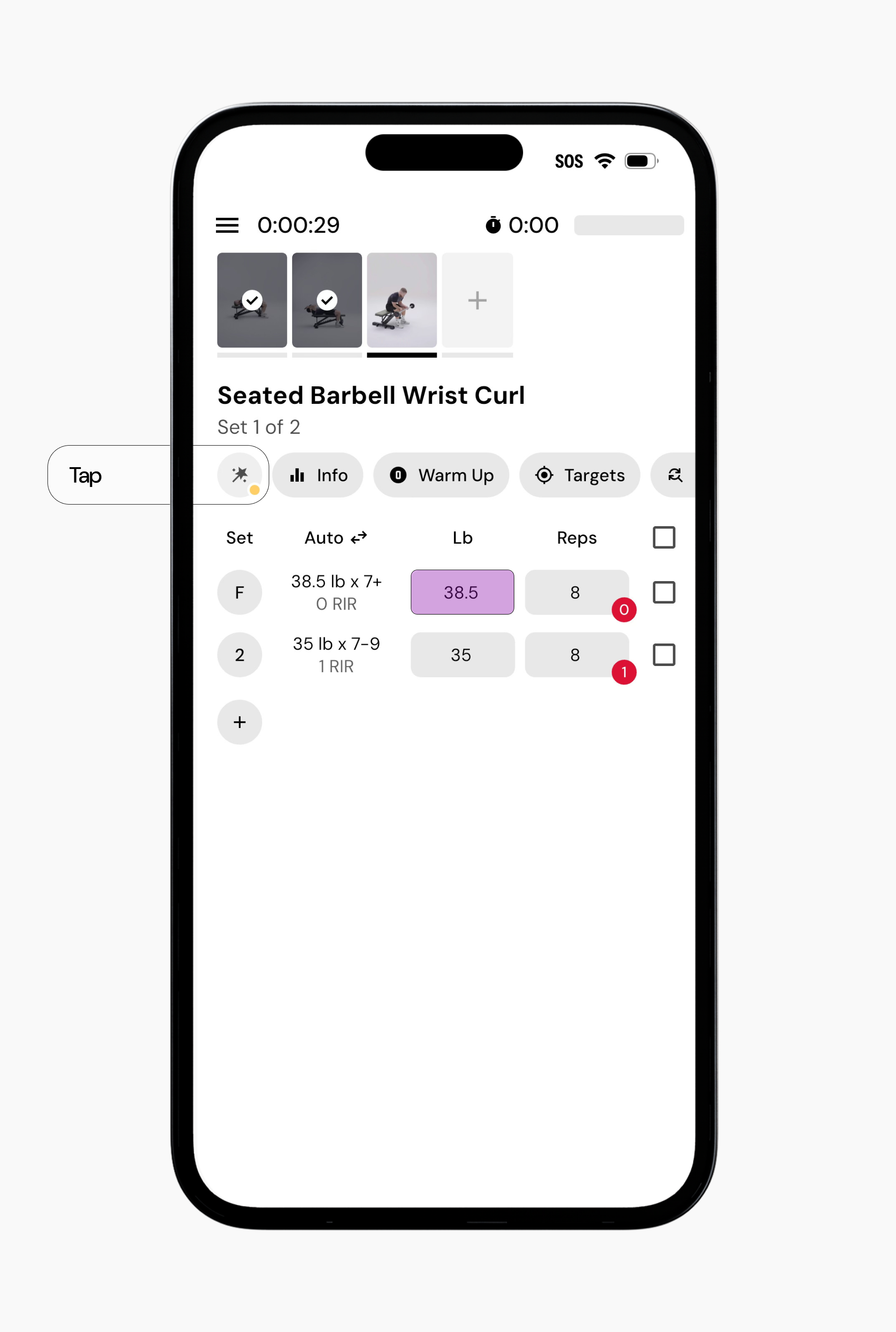
When this happens, you will see a yellow icon on the Smart Progression wand in the action bar.
Tap the Smart Progression wand.
Tap Fix on the Smart Progression warning.
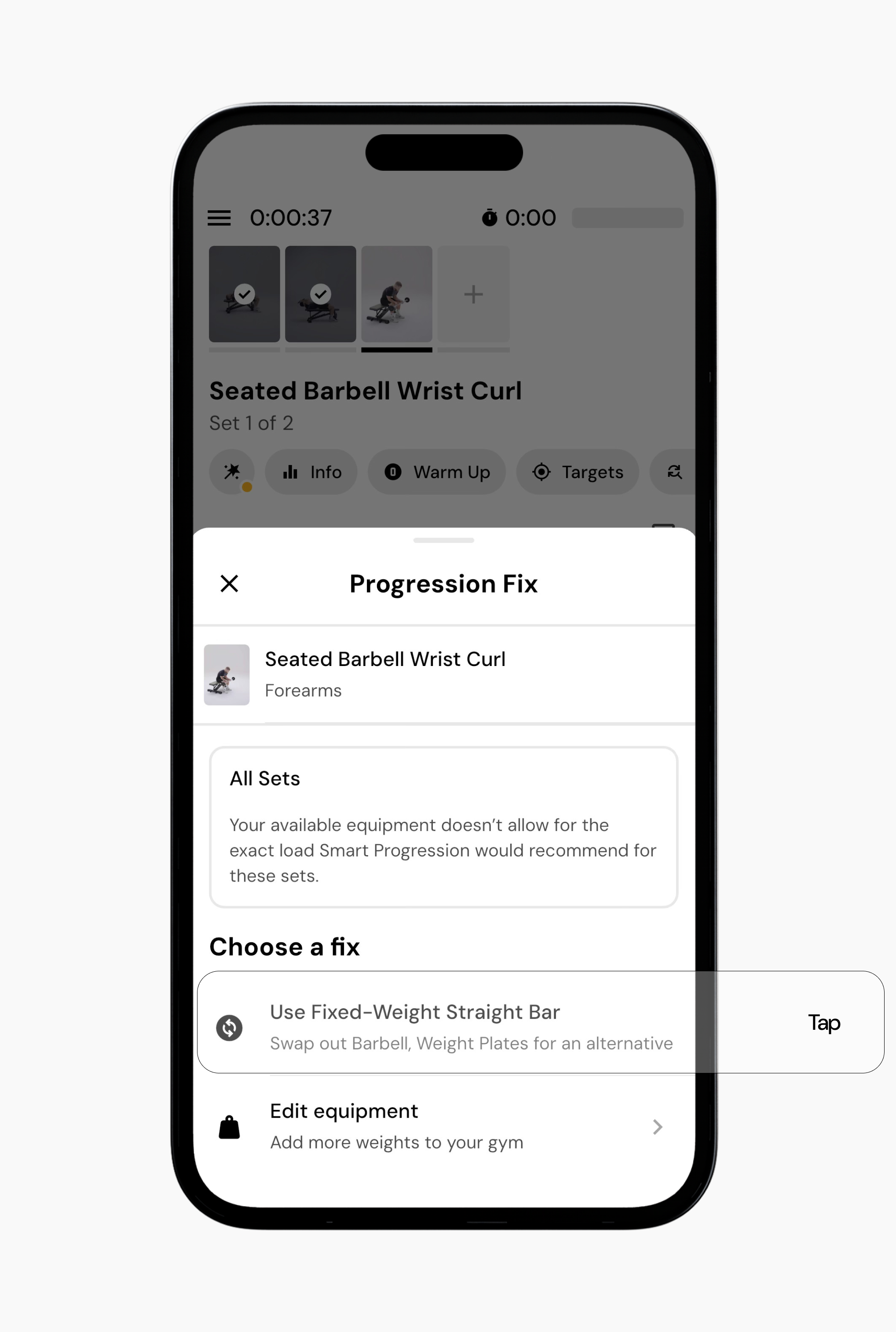
Review the suggested options. In this instance, you have the option to use a fixed-weight straight bar or you can edit your equipment if you have better increment optoins. The app will provide one or more recommended fixes with adjusted weight and rep combinations. When you’ve decided, select the option that best fits your intent, and the workout will update automatically.
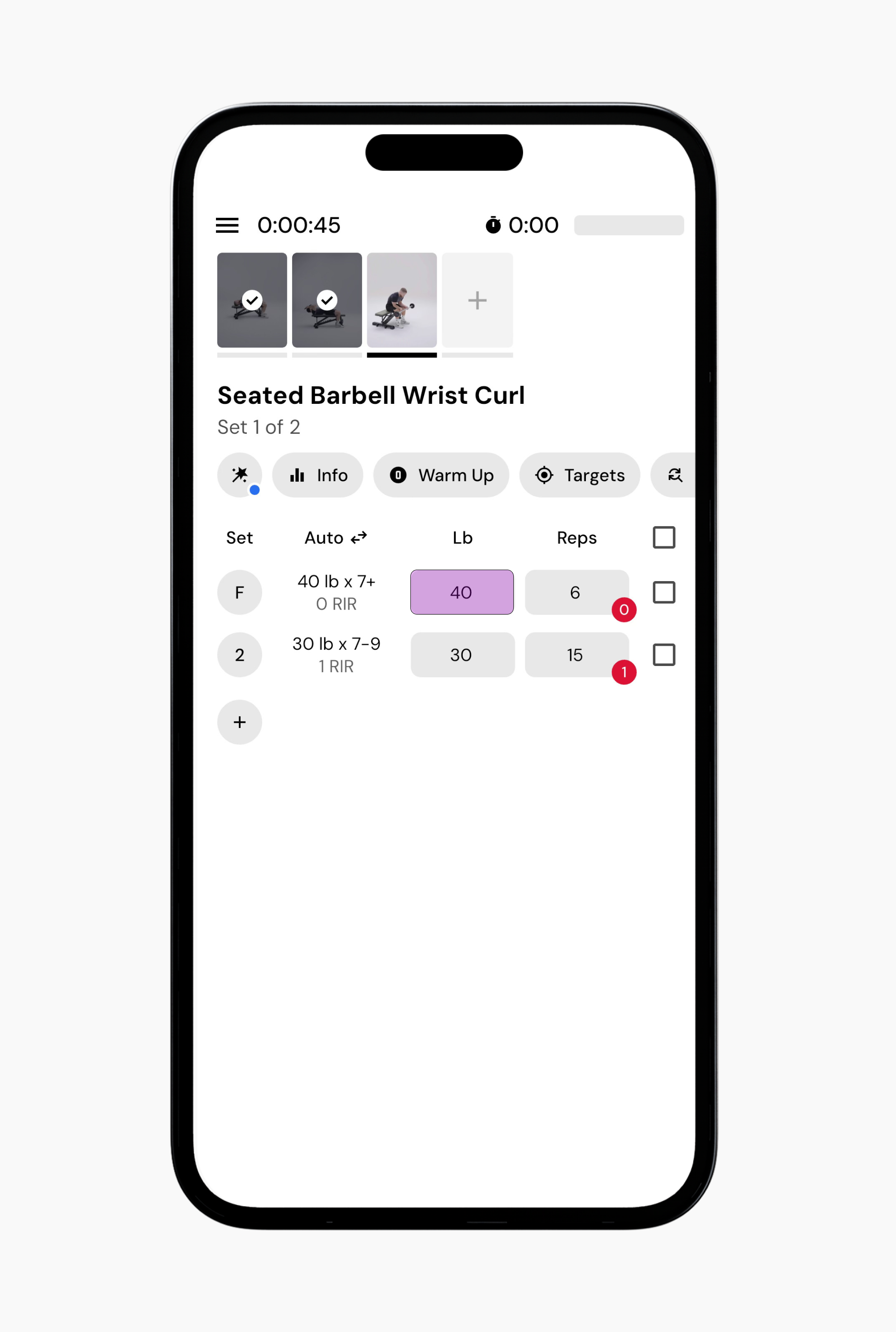
In some cases, Smart Progression may show a message such as “Progression unavailable within target rep range.” This means the app could not generate a weight recommendation that keeps the next set within the programmed rep range based on your recent performance.
For example, imagine an exercise programmed for 8–10 reps at 2 RIR. If your previous set was 15 reps at the same RIR, increasing the weight enough to reflect that performance might drop the next set below the 8-rep minimum. Because the system cannot generate a recommendation that stays within the programmed range, the Fix wand may appear.
Depending on the situation, the wand may offer different solutions. In some cases, you may see “Get new workout targets,” which recalculates the targets for the workout based on your recent performance. In other situations, the wand may suggest alternative fixes, such as adjusting the weight manually or accepting a recommendation that falls outside the target rep range.
If you encounter these warnings frequently, it may indicate that your logged performance no longer aligns well with the current program targets. In those cases, adjusting parts of your program may help resolve the issue, such as:
Adjusting the rep range for the exercise (making it larger).
Changing the RIR target.
Update your gym equipment settings to reflect a wider range of weight increments.
Now that you’ve learned how to use smart progressions, you might enjoy one of these articles next:
How Do I Know What Weight to Start With?
Why Does The App Recommend Lowering The Weight When I Feel Like I Could Do More?
What Should I Do if I Realize Mid-Workout I Cannot Perform an Exercise?
