
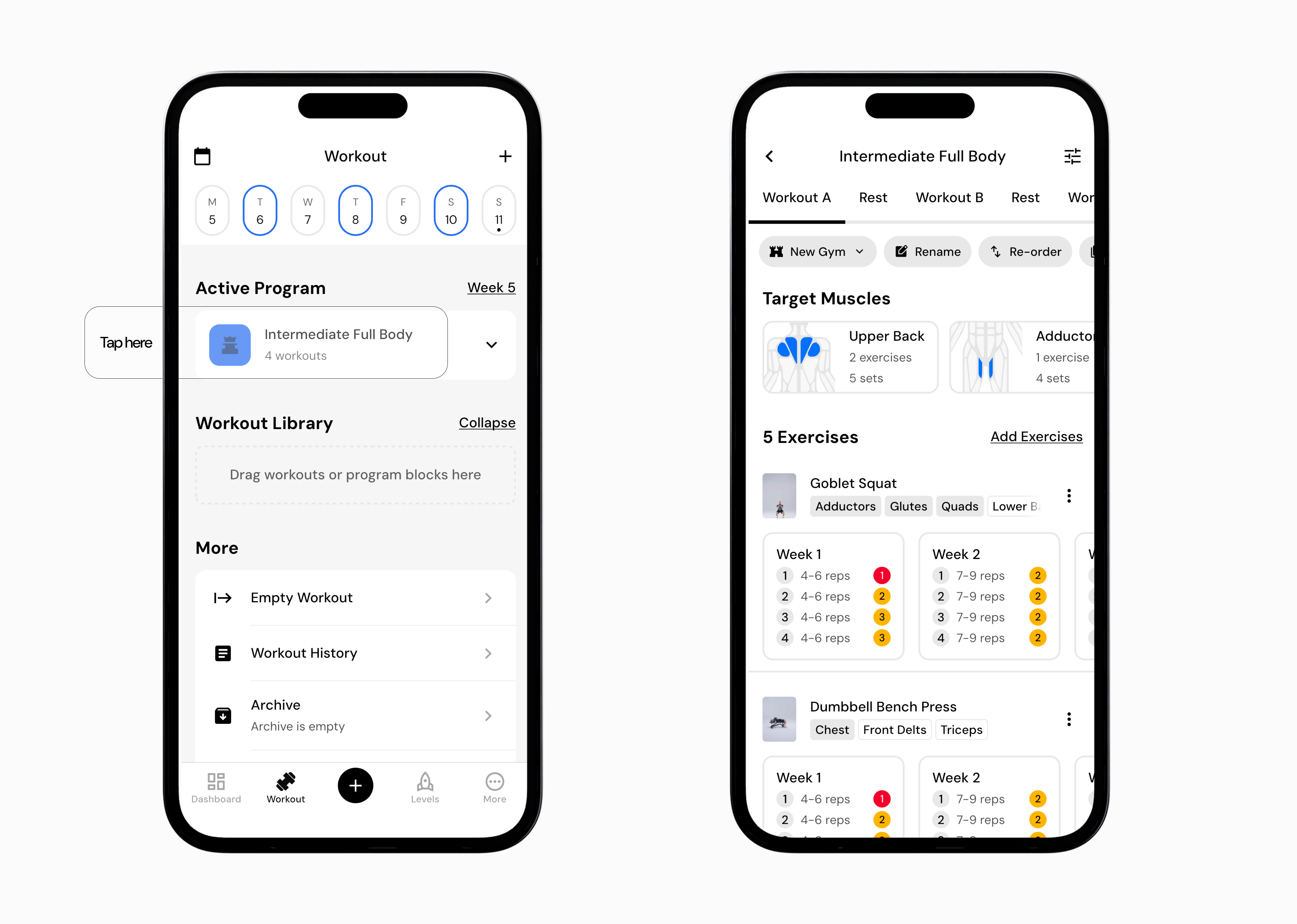
Go to the Workout tab.
Tap your active program (for example, Intermediate Full Body). Note: Do not open the program using the right arrow. Tap directly in the middle of the program to view the full program schedule with all exercise cycles.
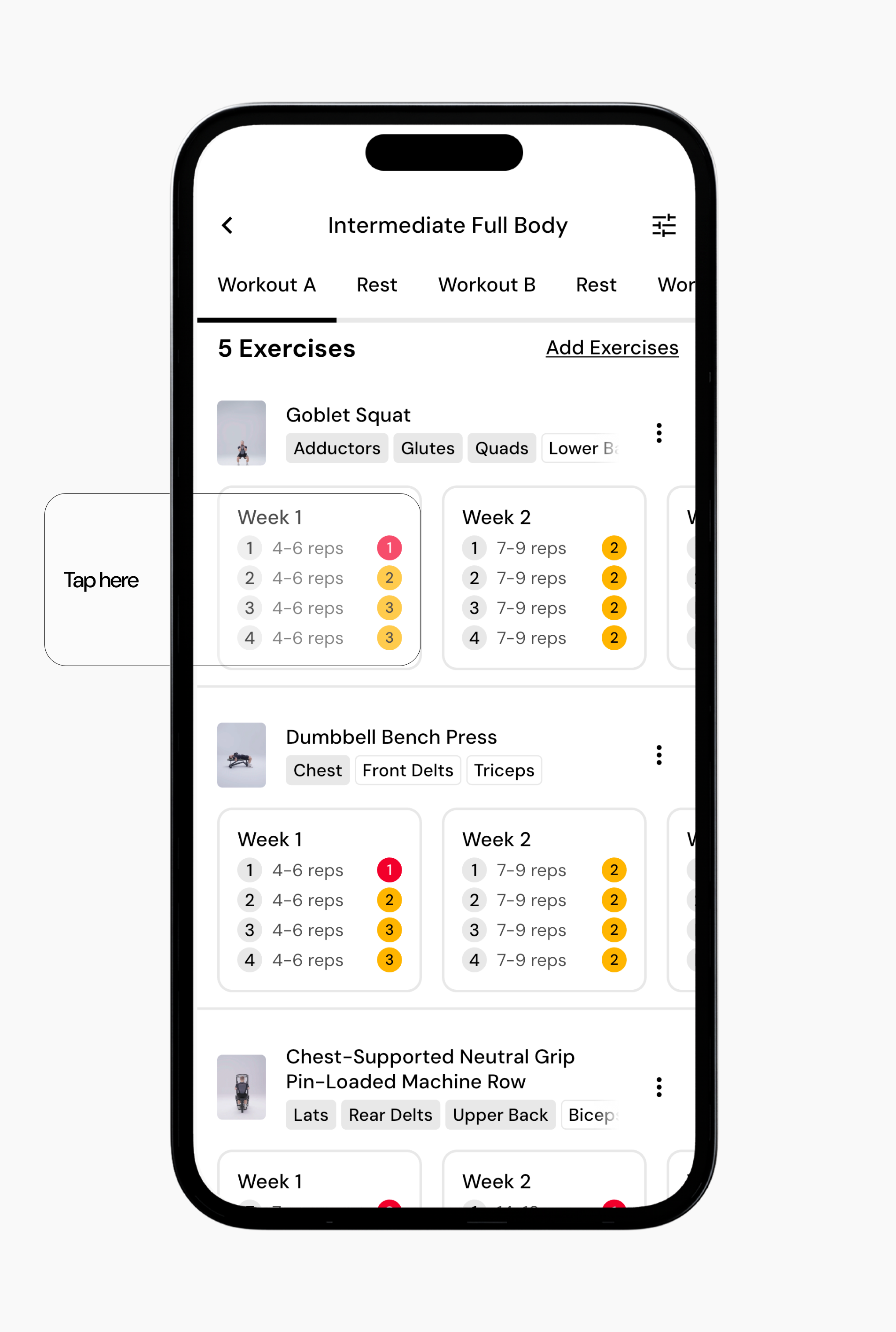
Scroll to the exercise you want to change.
Tap inside the exercise details area where cycles, sets, reps, and RIR are shown.
Tap the rep minimum or maximum value you want to edit.
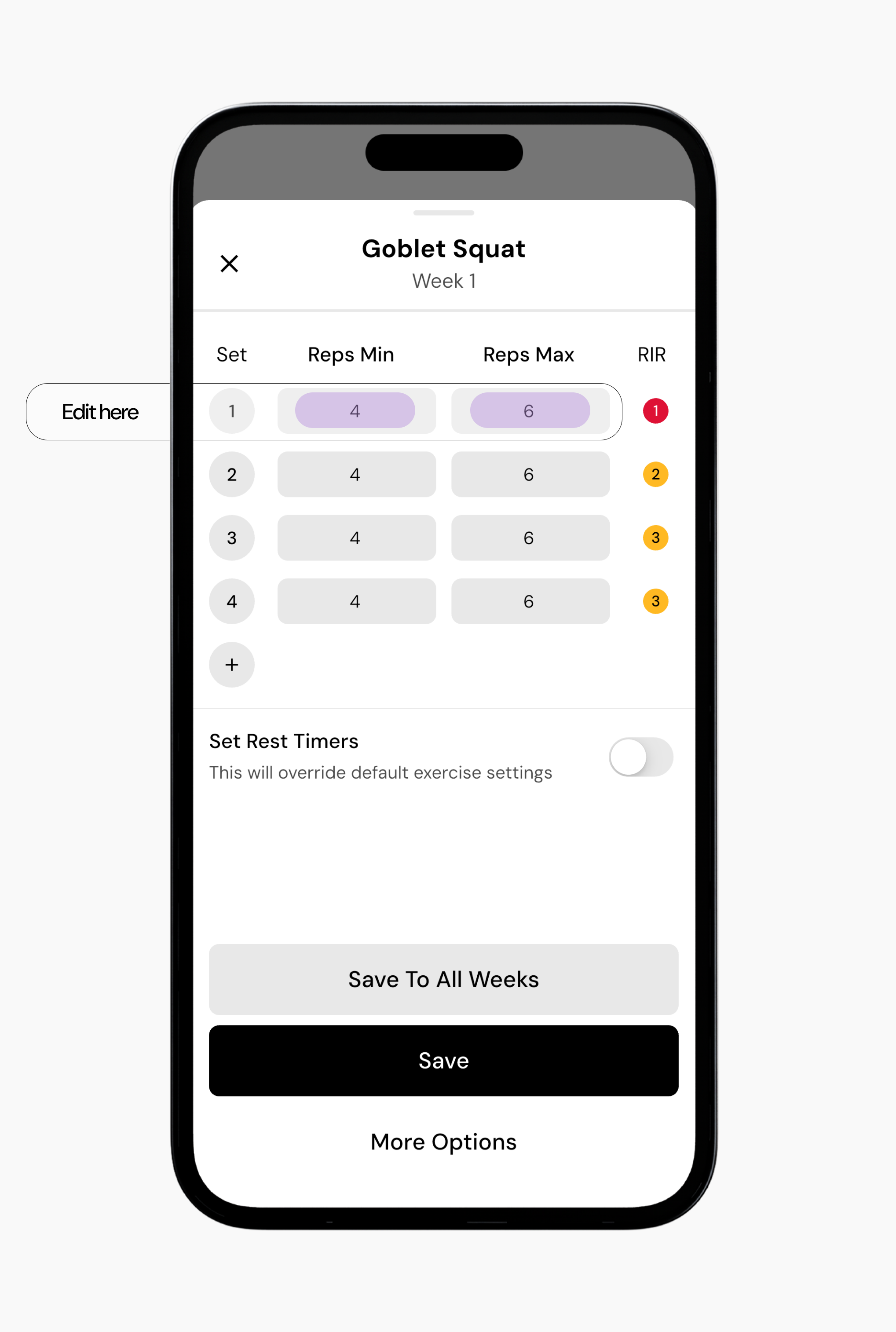
Adjust the rep range as needed.
When you’re done, you have a few options for saving your changes:
Option 1: You can save these changes for only that workout cycle and simply tap the Save button.
Option 2: You can save these changes across all cycles and tap Save To All Cycles.
Note: If you choose to save these changes for all cycles, the app will also update sets and RIR for all cycles. Make sure this is what you want before saving.
Option 3: If you want to apply the same reps to all exercises and all cycles, tap More Options.
Note: If you choose to save these changes for all cycles and all exercises, the app will also update sets and RIR for all cycles and exercises. Make sure this is what you want before saving.
Read next:
Now that you’ve learned how to change reps for exercises in a program, you might enjoy one of these articles next:
Change Sets for Exercises in a Program
Setting RIR for Exercises in a Program
Using Smart Progressions