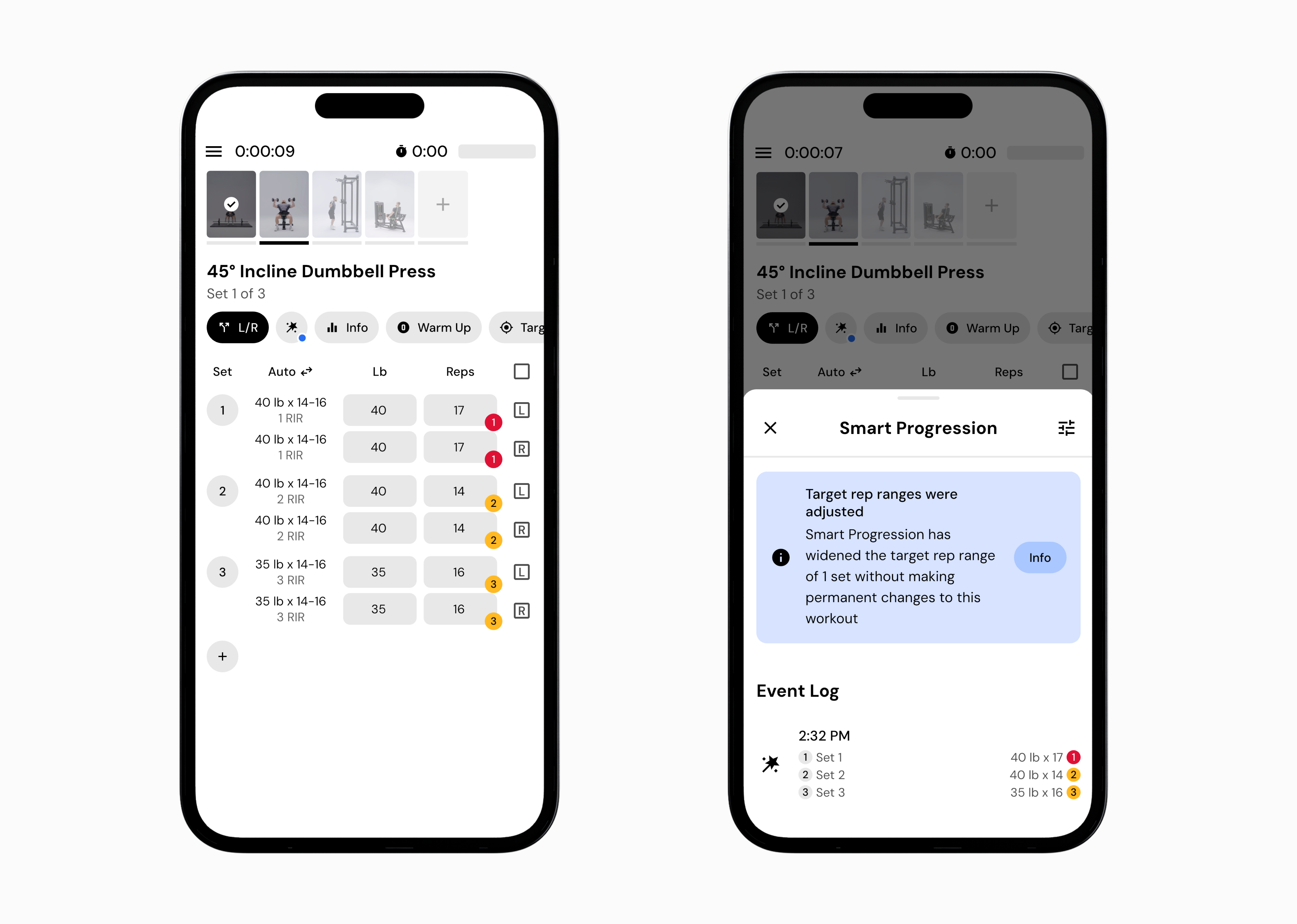
The smart progression wand appears when MacroFactor Workouts is providing context about an exercise recommendation or making an adjustment based on your logged performance.
Tapping the wand opens an explanation of why a recommendation was made and what the app is responding to based on your logged performance and recent workouts.
A blue wand is an informational notice. It means the app is providing additional context about a recommendation or explaining how Smart Progression is interpreting your recent sets. No action is required.
You can follow the recommendation as shown or make changes based on your preference.
A yellow wand highlights an adjustment you may want to review.
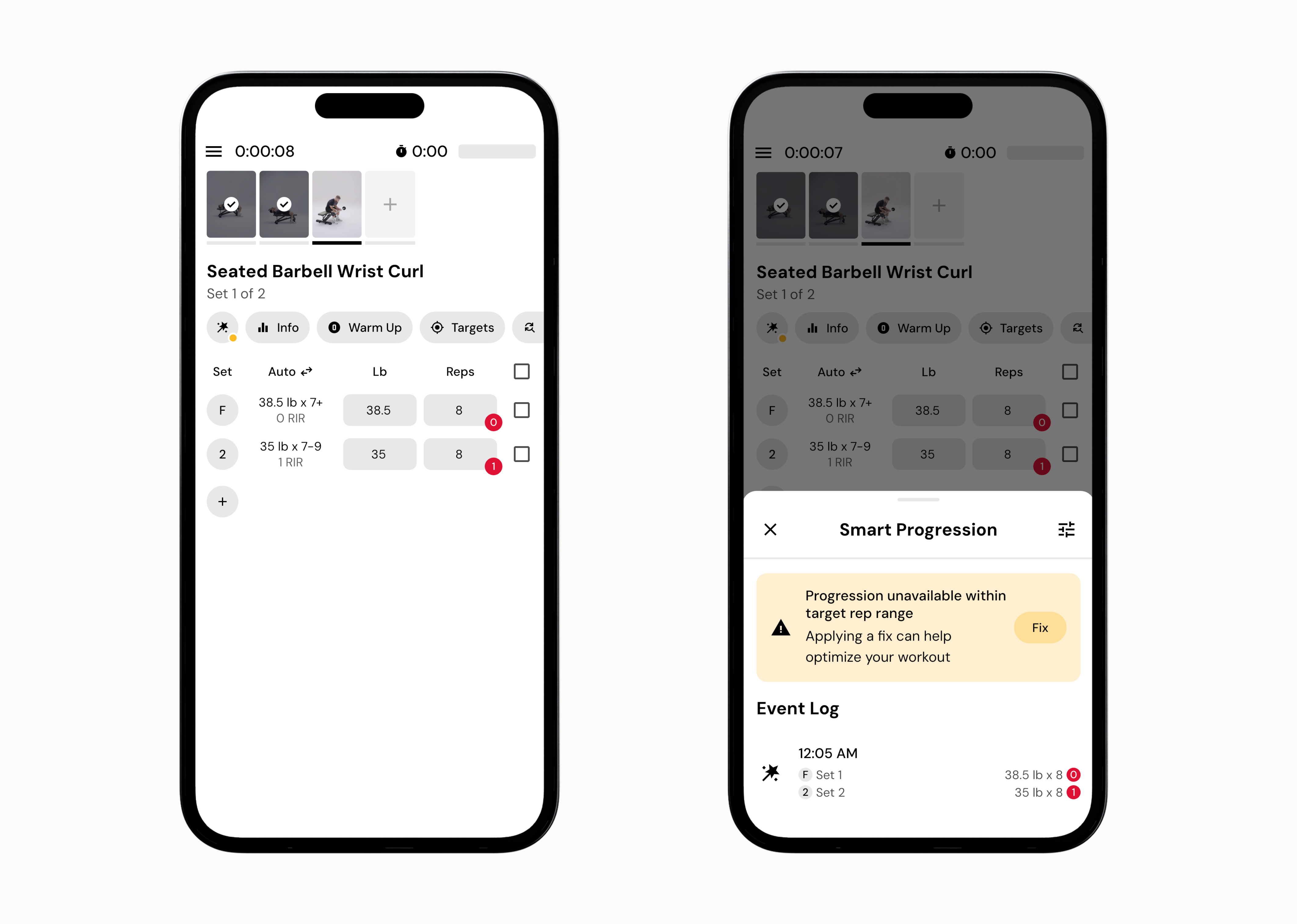
This typically appears when Smart Progression makes a recommendation that differs from what you might expect, such as a larger change in reps or weight.
A yellow wand does not mean something is wrong. It is simply a prompt to check the explanation and decide whether you want to accept or adjust the recommendation.
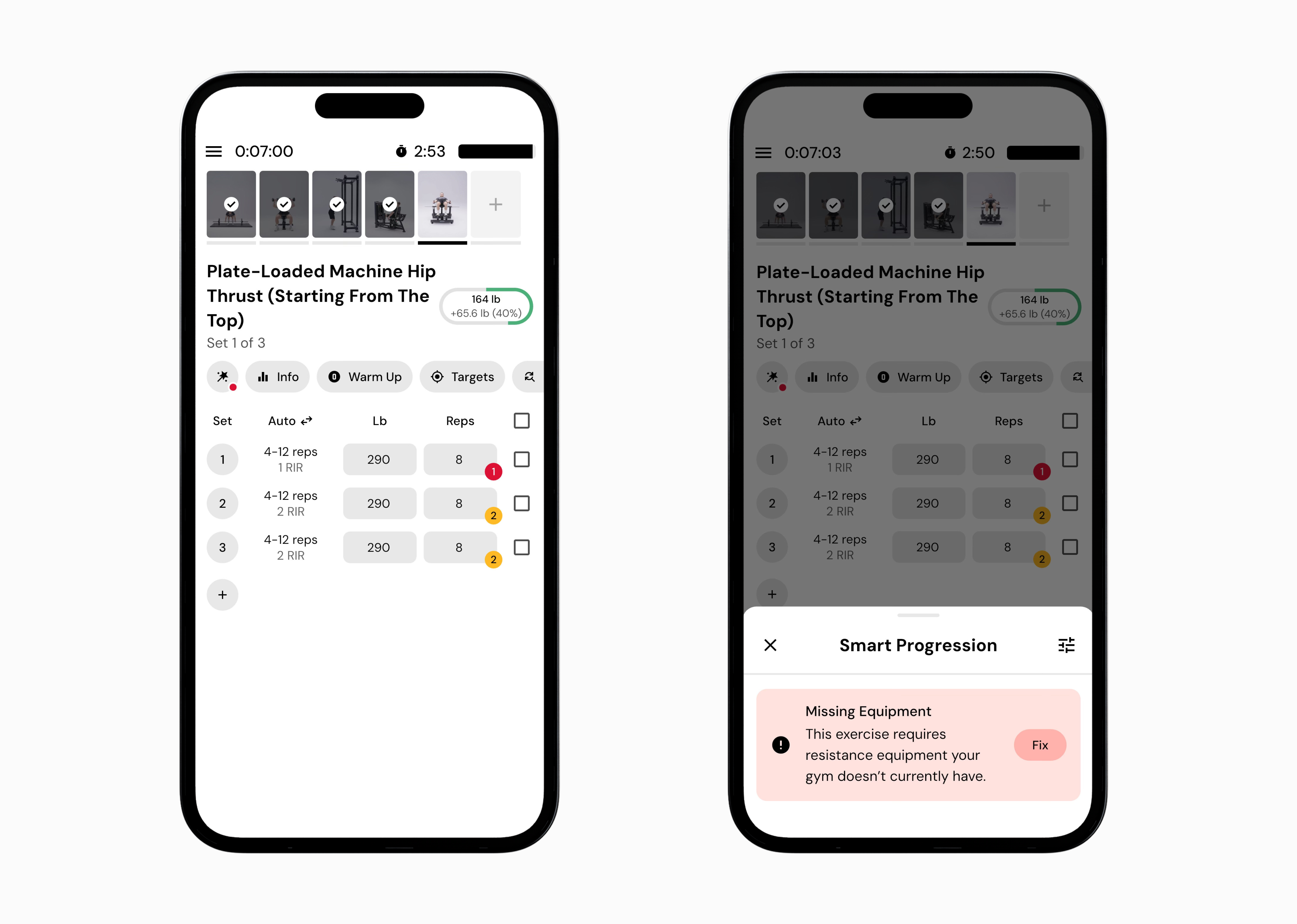
Red Wand
A red wand appears when the equipment needed to perform the recommended set is not available in your current gym profile. You can either adjust the weight or machine manually or update your gym equipment settings so the recommendation can be completed.
Tap the wand icon next to the exercise.
Read the explanation for the recommendation or adjustment.
Decide whether to follow the suggestion or modify the weight or reps.
Log what you actually perform. Smart Progression will adapt based on your logged sets.
Ultimately, the Smart Progression wand is a communication tool. Blue wands provide information, while yellow wands flag adjustments worth reviewing and red wands alert to missing equipment.
Now that you’ve learned what the smart progression wand means, you might enjoy one of these articles next:
Understanding and using smart progressions
Why does the app sometimes recommend lowering weight or reps?
