
For a workout in a program:
Go to the Workout tab.
Locate the program that contains the workout you want to begin.
Tap the arrow to expand the program block if it is collapsed.
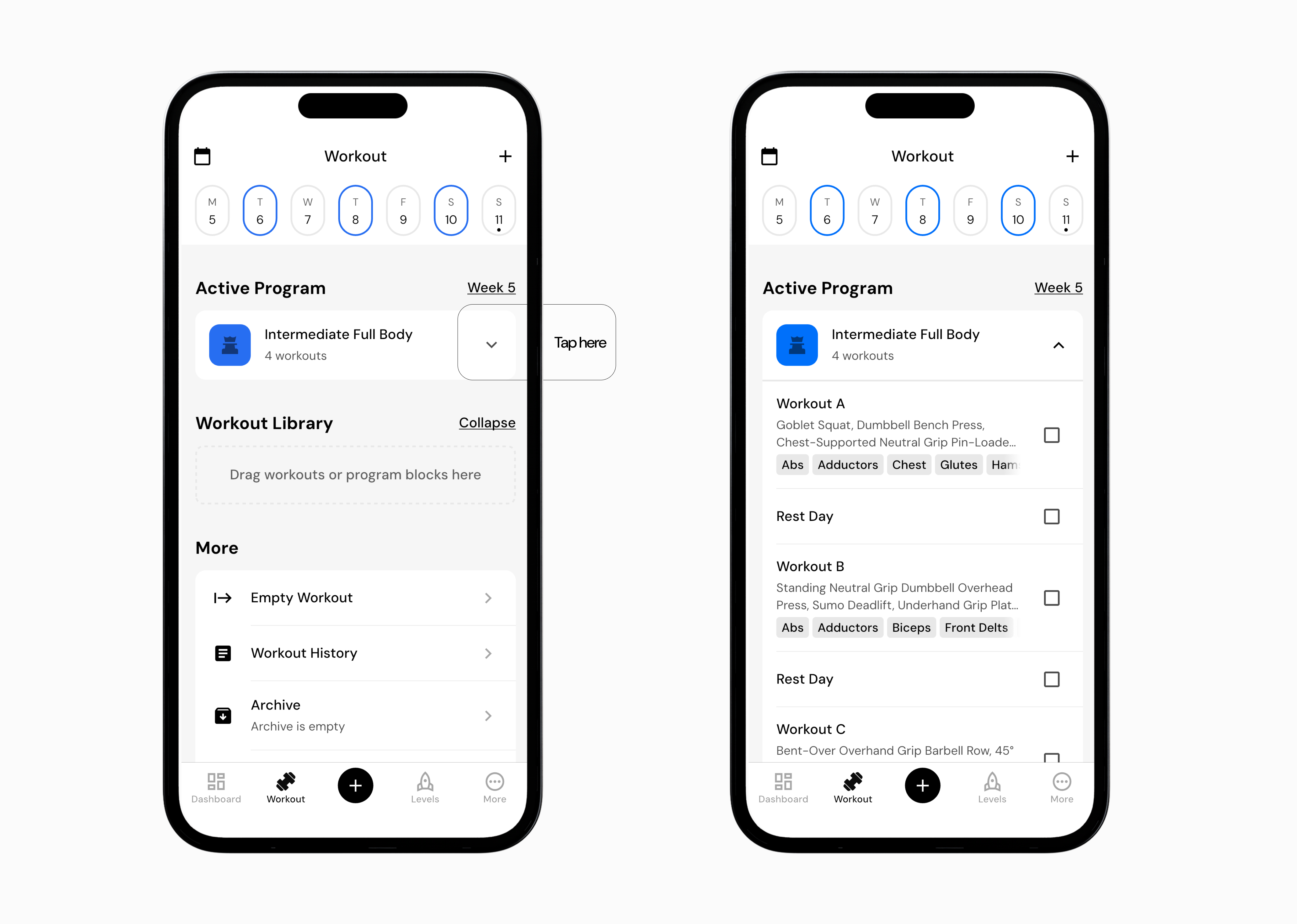
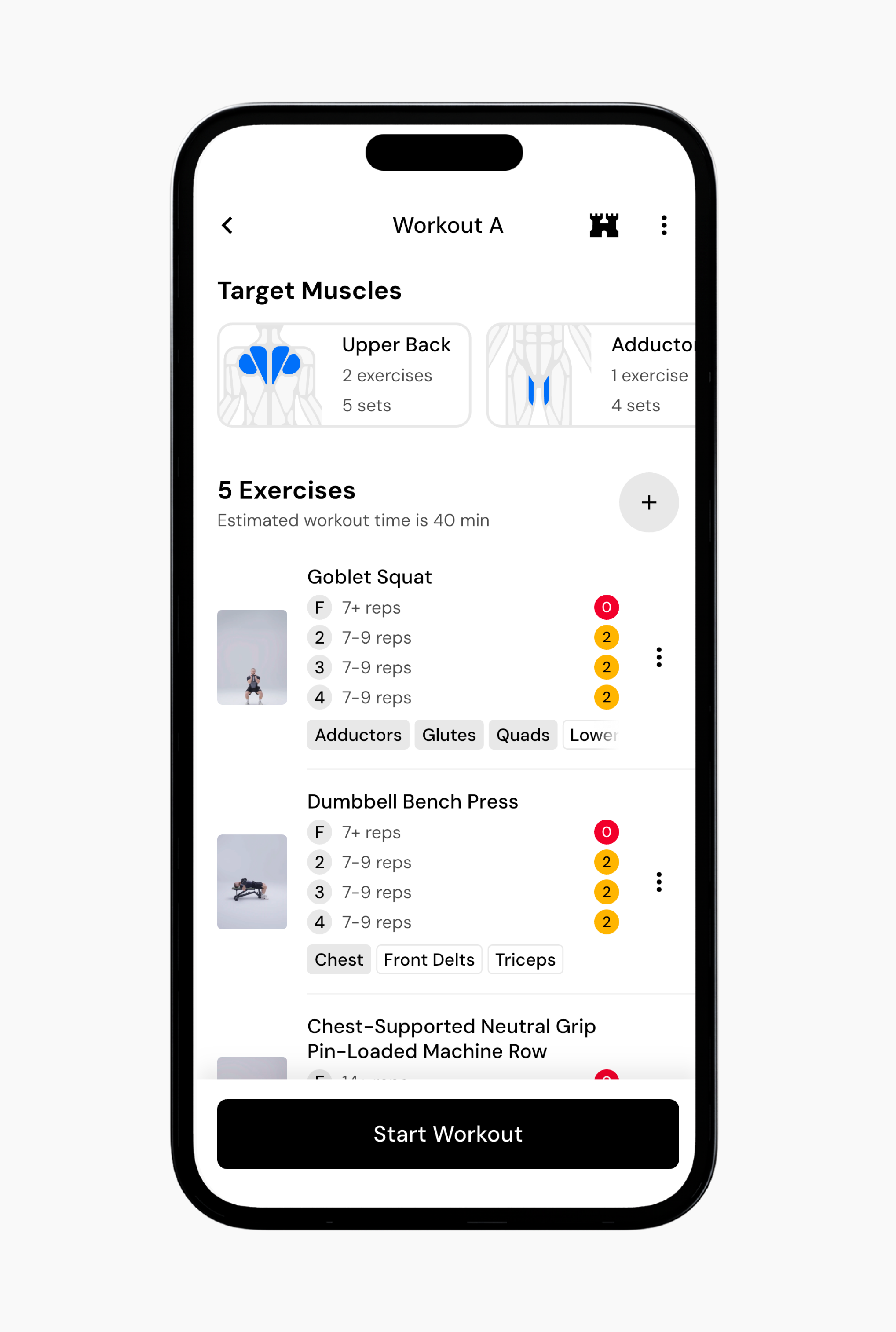
Tap the workout you want to begin. You will see a preview showing target muscles, total exercises, estimated duration, and rep details.
Tap Start Workout at the bottom of the screen to begin the session.
For a single workout:
Go to the Workout tab.
Locate the workout you want to begin in your workout library.
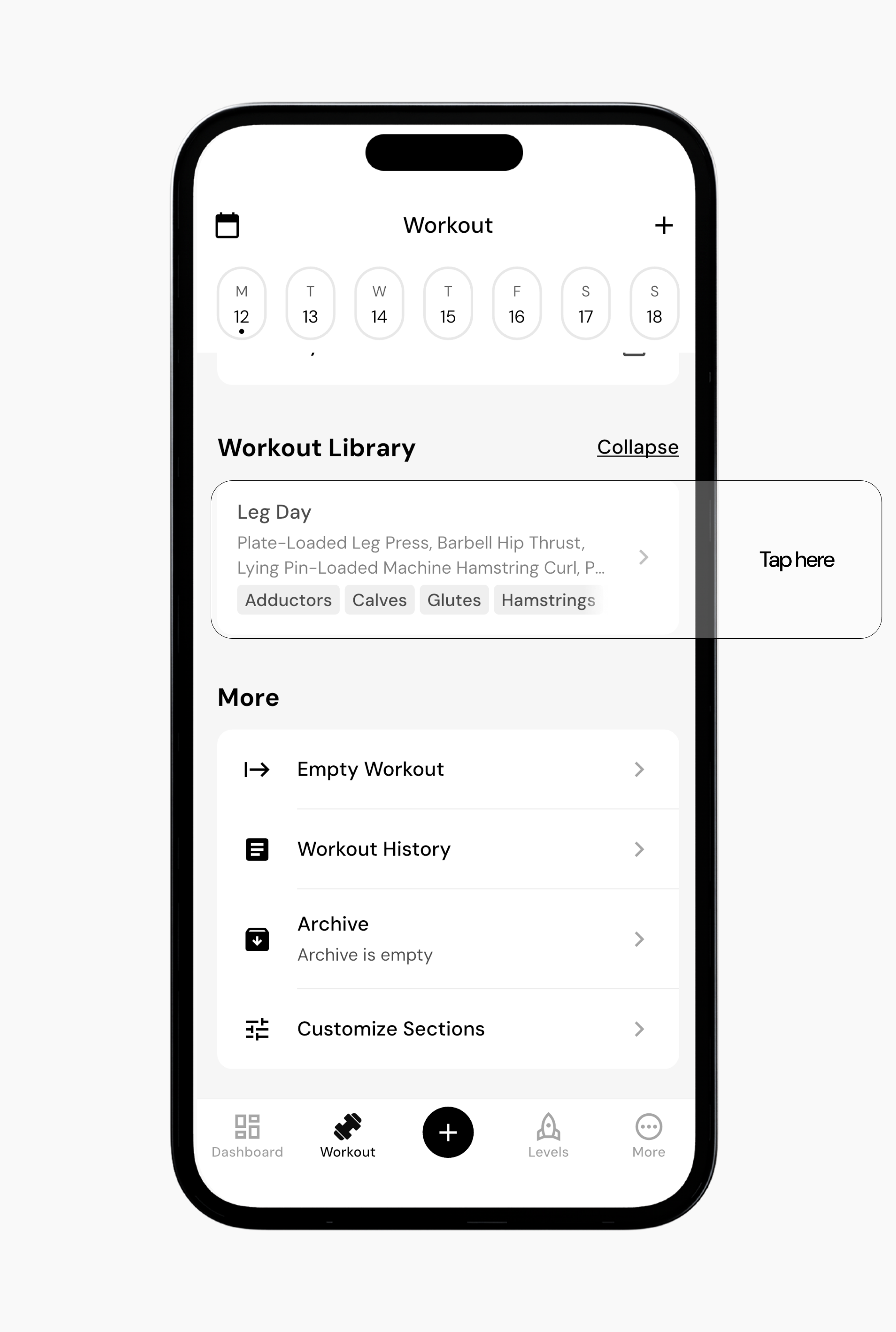
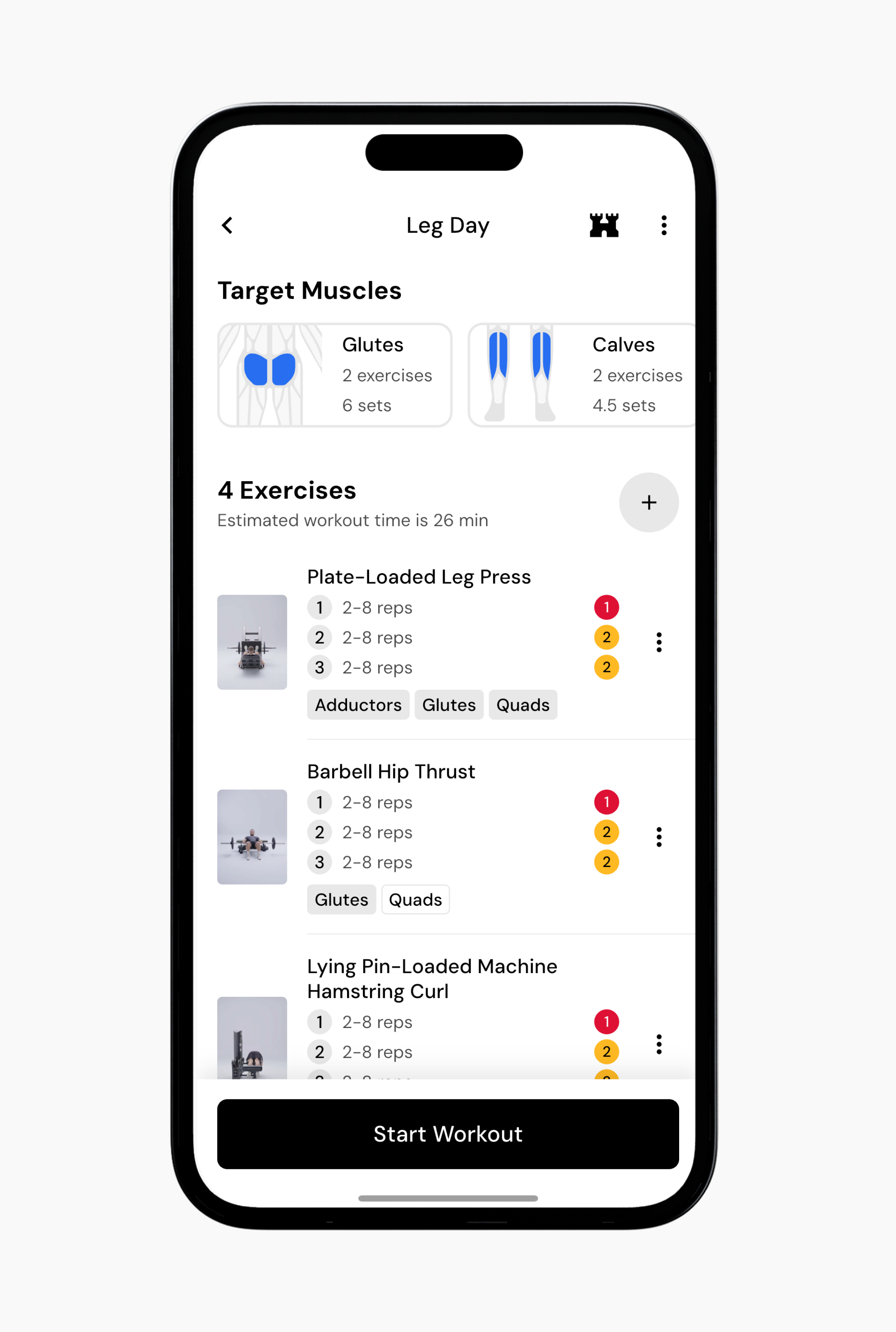
Tap the workout you want to begin. You will see a preview showing target muscles, total exercises, estimated duration, and rep details.
Tap Start Workout at the bottom of the screen to begin the session.
Read next:
Now that you’ve learned how to start a workout, you might enjoy one of these articles next:
How to Log a Workout
Pause or Resume a Session
Create a Empty Workout