The top section of your Workouts dashboard displays your weekly training progress and recent performance for both your current and previous cycles.
This section is made up of two widgets:
Weekly Workouts: Shows how your training is progressing toward your weekly targets.
Recent Records: Highlights your recent numbers for volume, reps, and estimated 1-RM.
These widgets help you see whether you are on track for the current week as well as total volume or reps.
The Weekly Workouts widget appears at the top of the dashboard and provides a snapshot of your current training cycle.
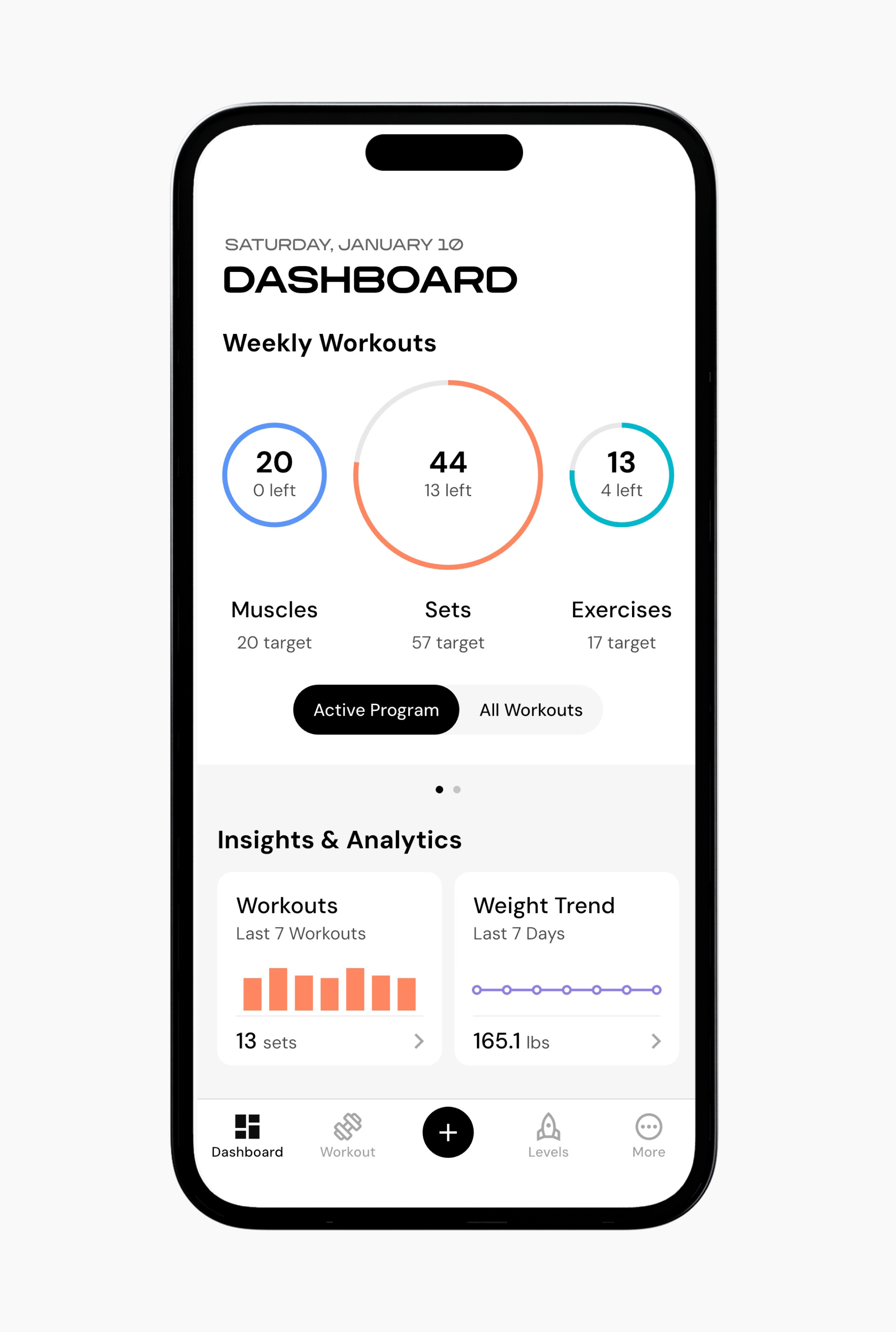
This section shows how much training you’ve completed in three areas:
Muscles: Muscle groups you have trained and how they relate to your weekly targets.
Sets: How many sets you have completed in relation to your weekly targets.
Exercises: How many exercises you have performed in relation to your weekly targets.
Each ring fills as you log training. The number inside the ring shows how much you have completed so far, and the number below the ring shows the total weekly target for that category. When the ring is full, you have reached that target for the week.
You can toggle between All Workouts and Active Program to compare your progress against your weekly targets. Active Program reflects the workouts and targets from your currently active plan, while All Workouts includes everything you’ve logged. This makes it easier to track progress and see how close you are to completing your planned training for the week.
The Recent Records section shows your recent performances across training sessions in multiple record types.
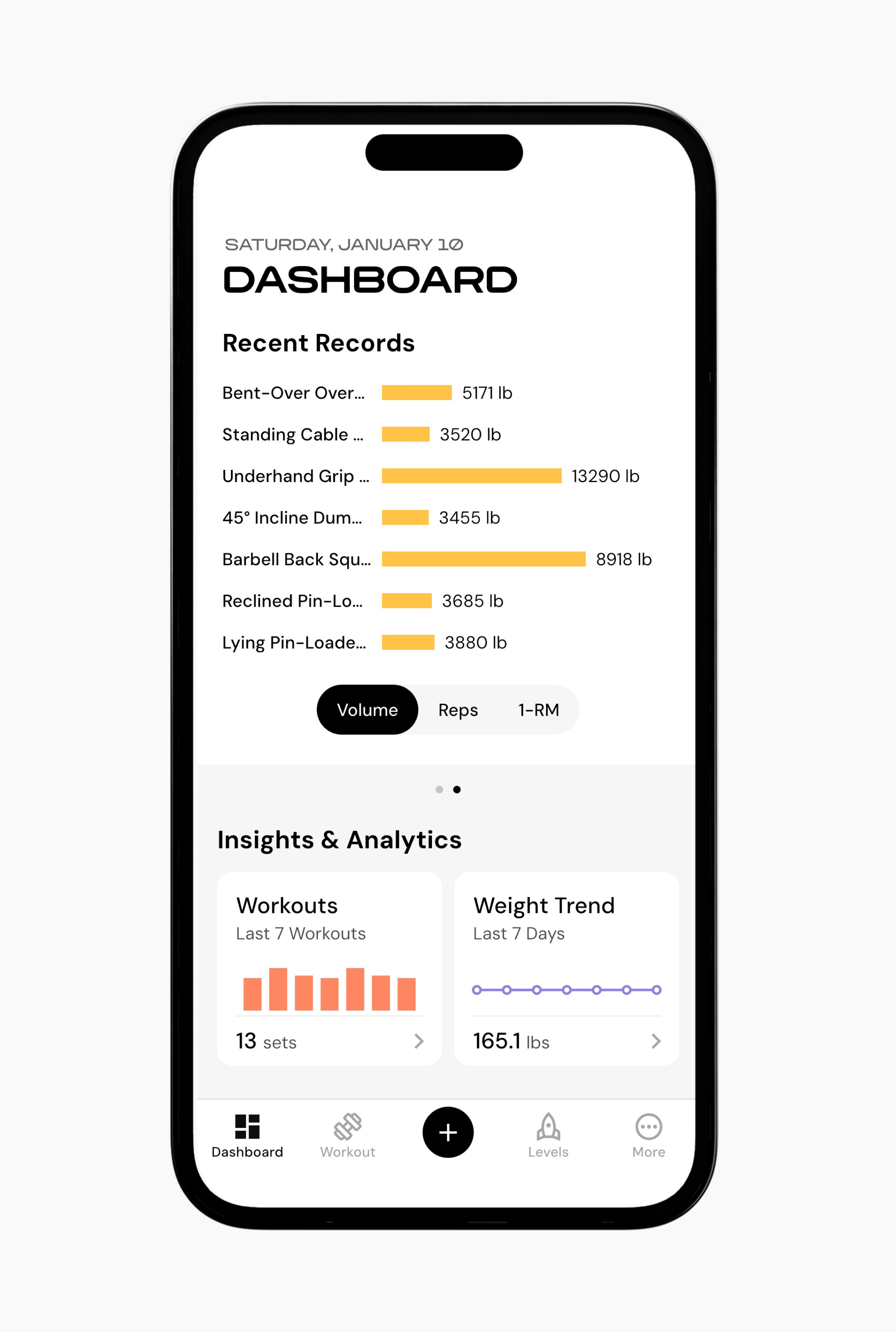
You can toggle between three record types:
Volume: Total training volume for each exercise.
Reps: Highest recent repetition counts.
Estimated 1-RM: Recent estimated one-repetition maximum based on logged sets.
These records update when you log workouts and are based on your recent training history within the selected cycle.
There are a few goals of this widget. First, it gives you insight into how your training performance is trending, such as changes in volume, reps, or strength estimates. Second, it reminds you of the work you are putting in by highlighting recent performance stats.
Together, these widgets give you a snapshot of your current progress without needing to deep dive into individual muscle groups or exercises.
Now that you’ve learned about the widgets at the top of your dashboard, you might enjoy one of these articles next:
How to Customize Your Dashboard
Create a New Program via Smart Generation
Create a New Program via Build From Scratch
