If you are seeing weight recommendations like 88.5lb or other odd increments, this is usually due to your gym equipment settings, not a bug or error.
MacroFactor Workouts only recommends weights that match the equipment you indicate you have access to. If your gym profile includes small plates or fractional increments, the app will use those options when generating recommendations.
When you set up a gym profile, you select the plates and weight increments available at that gym.
For example, if your gym profile includes 1.25lb or 0.5kg plates, the app assumes you can load those increments and may recommend weights like 88.5lb or other fractional jumps. While these recommendations are mathematically correct based on your settings, you may prefer a simpler loading setup.
How to change your equipment settings
You can remove small or fractional increments at any time.
Go to More.
Tap Feature Settings.
Tap Gym Profiles.
Select the gym profile you are currently using.
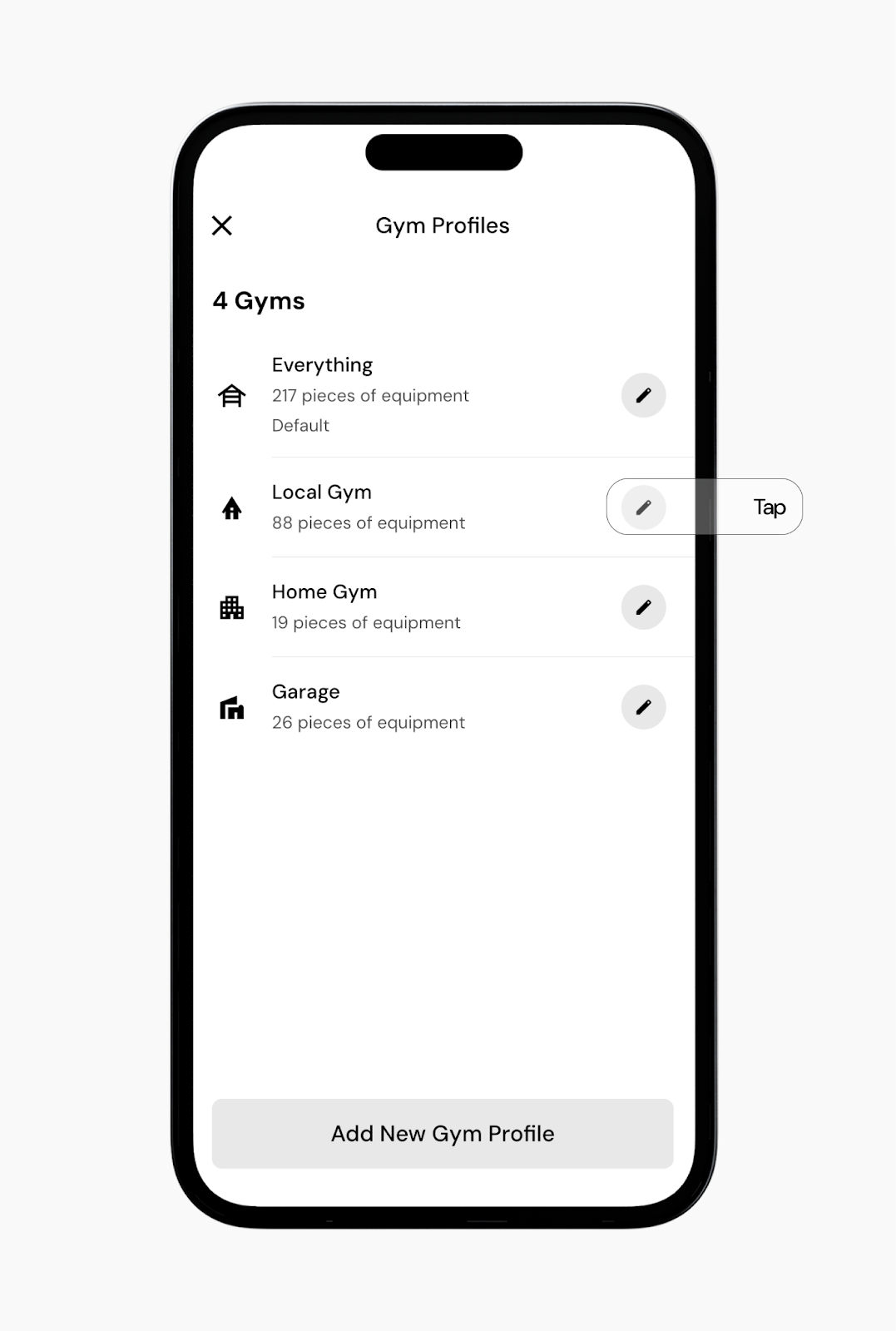
Open Equipment or Weight options.
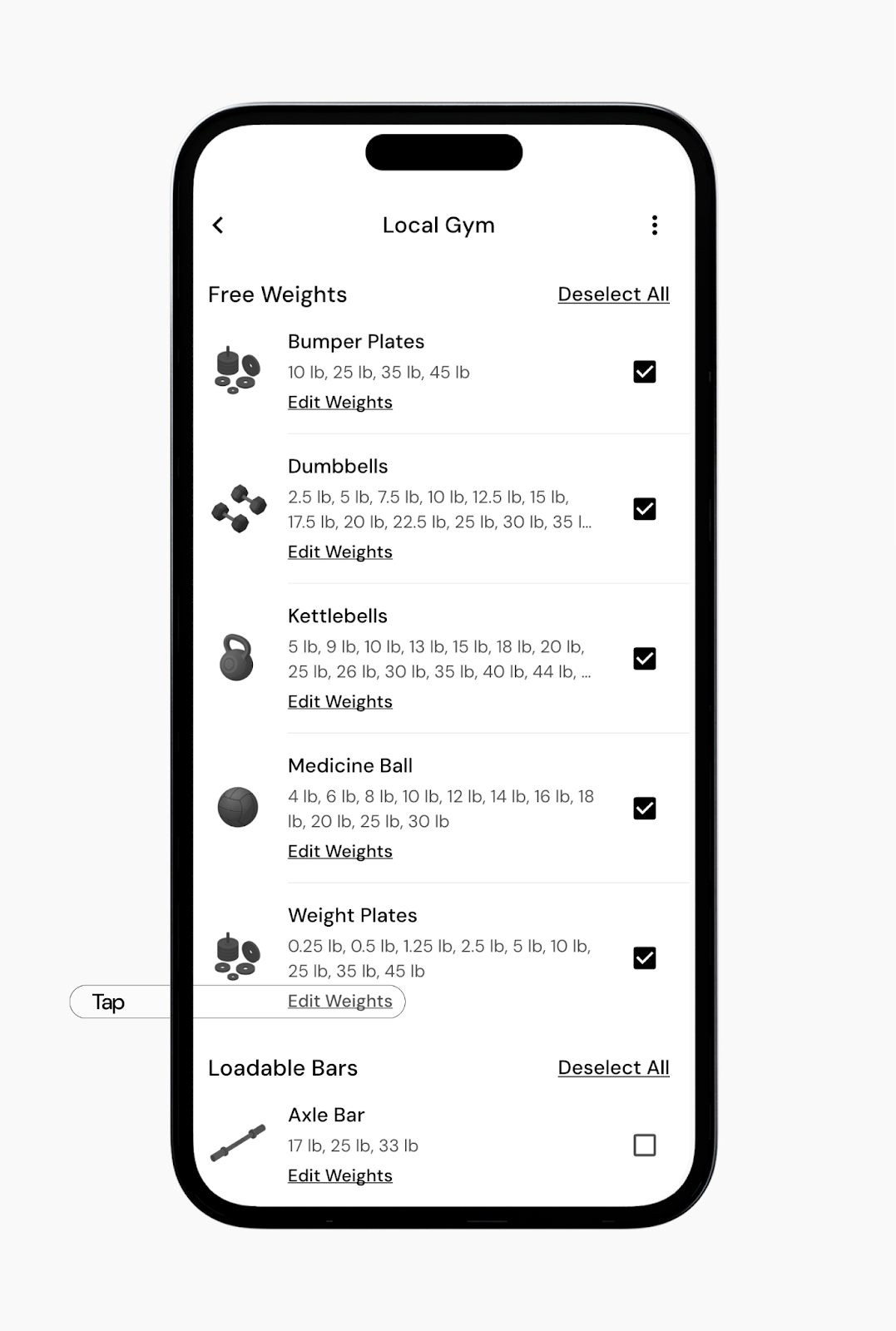
Uncheck any plate sizes or increments you do not want, such as 1.25 lb plates.
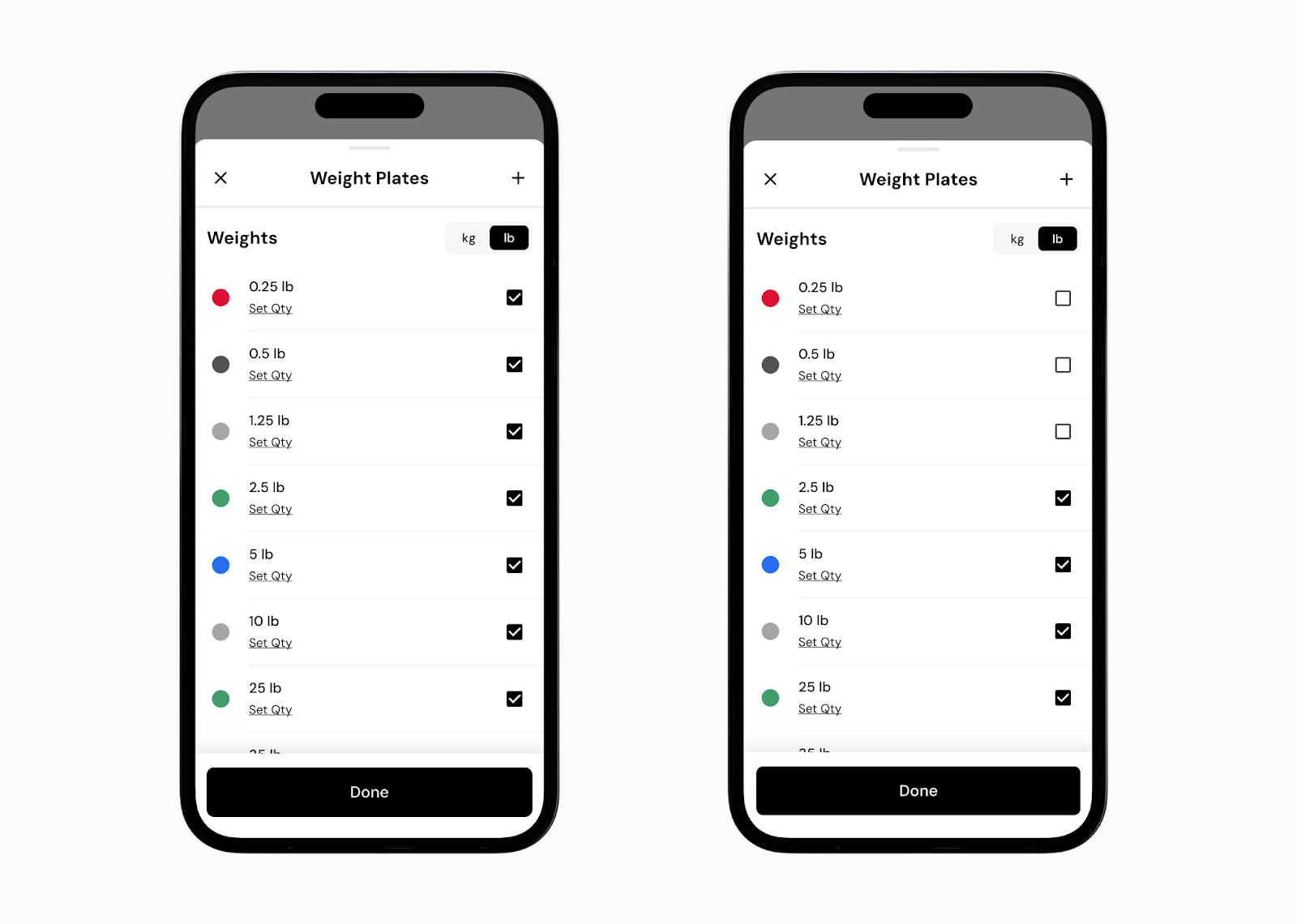
Save your changes.
Once removed, future recommendations will only use the remaining increments.
If you want simpler recommendations, keep only standard plates like 2.5lb, 5lb, 10lb, and higher.
After doing this, recommendations like 88.5lb will no longer appear, and the app will round to the nearest available option based on the equipment you kept.
You can also create multiple gym profiles if you sometimes want access to smaller increments. These smaller jumps can be useful for isolation movements, or for more advanced training where progressions tend to be smaller over time. If that is not your preference, removing them is completely fine.
Some exercises account for total resistance, not just added plates. This can include the machine’s starting resistance and a portion of your bodyweight.
For example, if a machine has about 50 lb of starting resistance and the exercise involves lifting roughly 10 to 15% of your bodyweight, you may already be working against 70 to 80 lb of total resistance before adding any plates. In that case, a warm-up set with little or no added weight can still represent a meaningful percentage of your working load.
Because this total is calculated behind the scenes, recommendations may sometimes end in unusual decimals, such as .5 or .75. This can happen for both working and warm-up sets, and you can skip or slightly adjust these recommendations if you prefer.
Now that you’ve learned how to change equipment settings to simplify weight recommendations, you might enjoy one of these articles next:
Set up your gym profiles
Using the plate calculator
Why does the app sometimes recommend lowering weight or reps?
