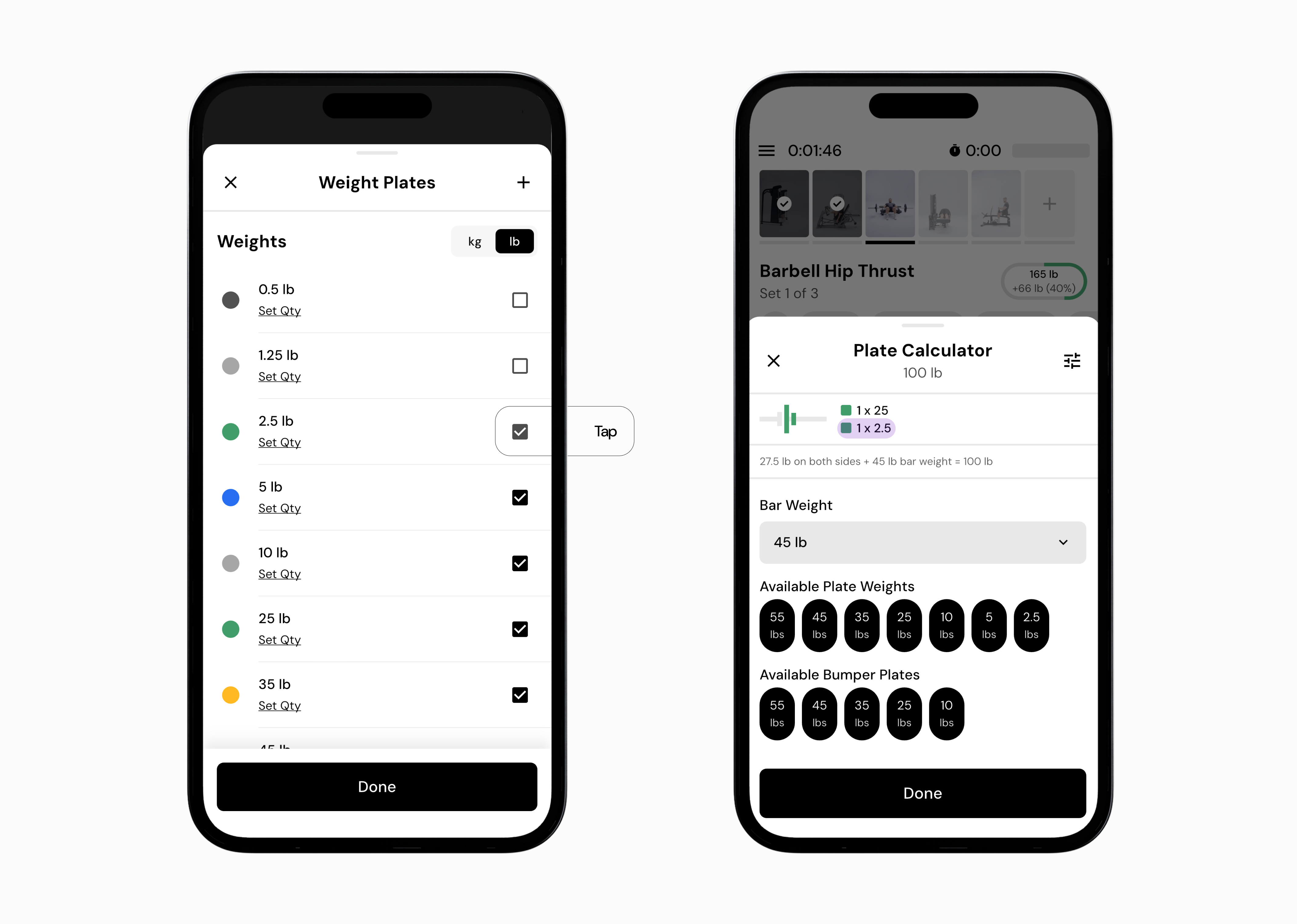
The plate calculator helps you load a barbell based on the total weight you want to lift. It automatically determines which plates to use, so you do not need to do plate math during your workout.
When you enter the weight for your set, the app assumes you are entering the entire weight on the bar, including the bar itself. The app then calculates how to load that weight using the selected bar and the plate increments available at your gym.
If your bar weighs 45lb and you enter 135lb, the app assumes you want a total barbell weight of 135lb. That means it will suggest 90lb of plates total (135 - 45 = 90), or 45lb per side. This is typically shown as one 45lb plate on each side.
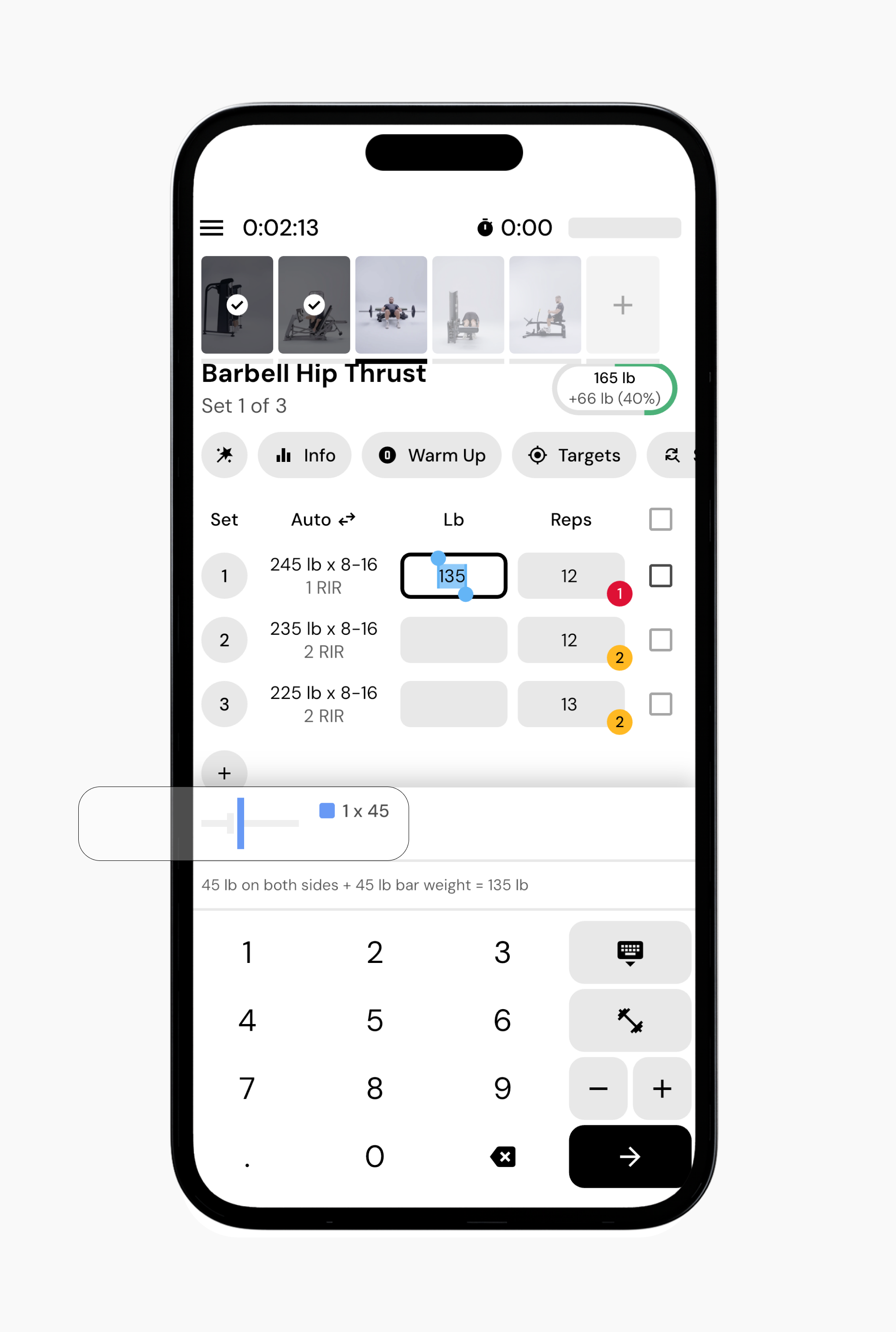
In short, the plate calculator is not asking which plates you put on the bar. You enter the target weight, and the app tells you how to load the bar.
Enter the total weight you want to lift in the weight field (lb or kg).
The plate calculator will automatically display the number of plates required per side at the top of the calculator.
Load your bar according to the suggested plate combination.
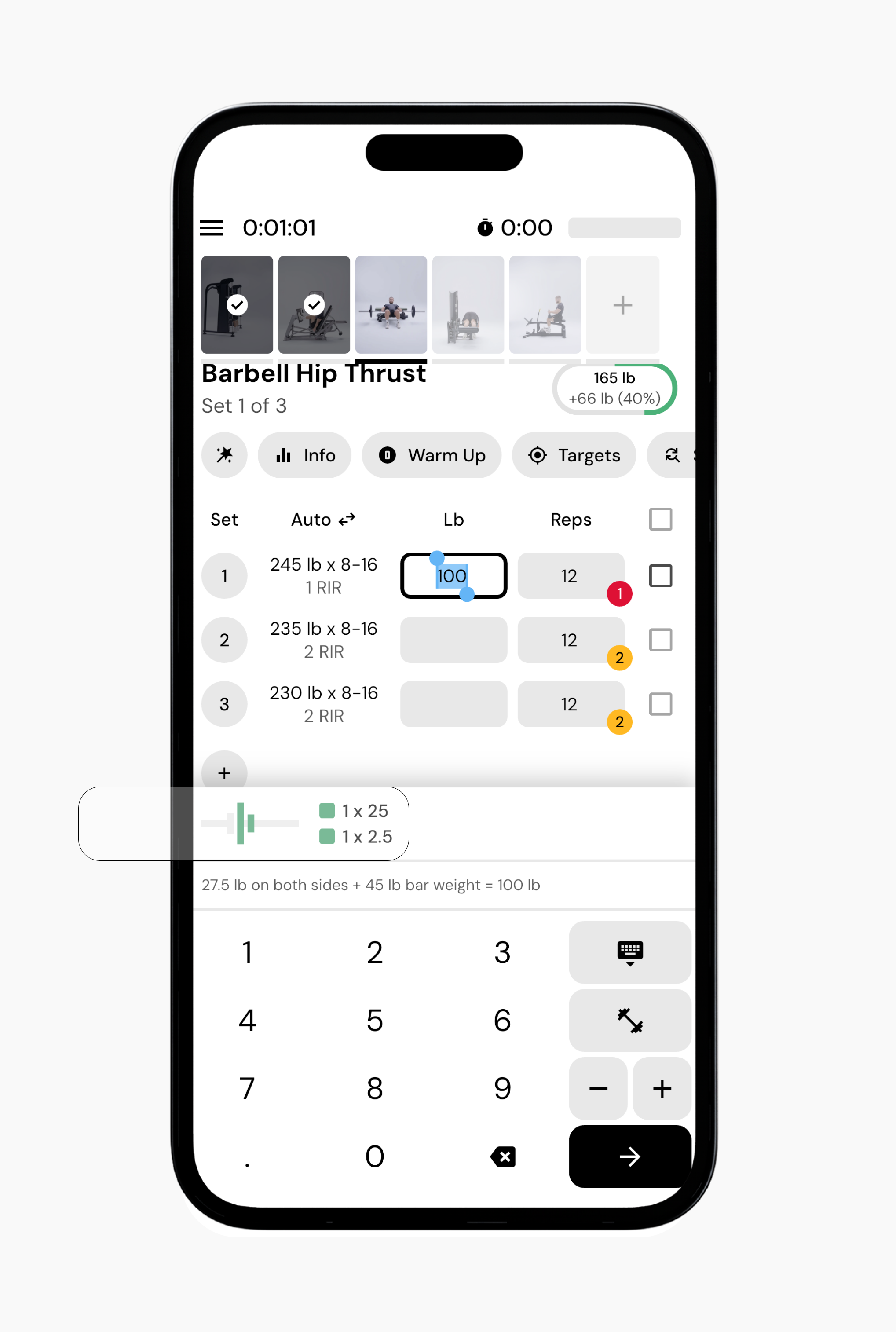
If you are using a 45lb bar and you enter 100lb:
The app subtracts the bar weight.
It calculates 55lb of plates.
It displays a plate combination such as two 25lb plates and two 2.5lb plates.
You may want to edit the exercise equipment used by the plate calculator if you see an error saying you do not have the equipment needed to load a specific weight. This usually happens when the app is trying to build a weight using plate sizes, bar weights, or base equipment settings that do not match what you actually have access to. If you update the equipment settings for that exercise or gym profile, you help the plate calculator generate load combinations that are possible with your available plates and bars, which resolves the error and lets you see the full plate calculation.
Tap the weight field to access the plate calculator.
Tap the plate calculator icon at the top-left of the calculator. This opens options to change the bar weight or add additional base weight for the exercise.
Tap the settings icon in the top-right corner.
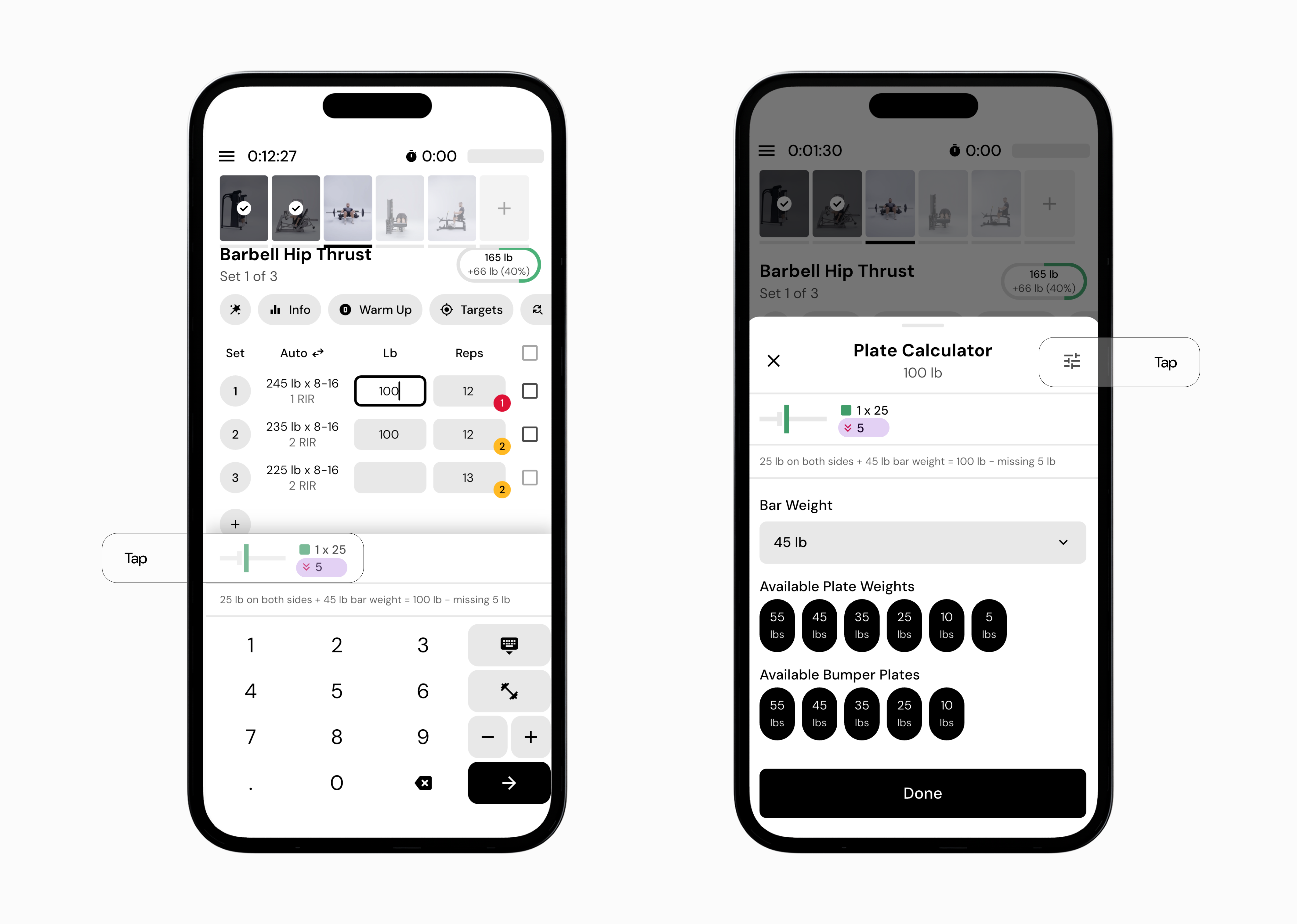
From here, you can edit base equipment weight, available plate increments, and other equipment settings.
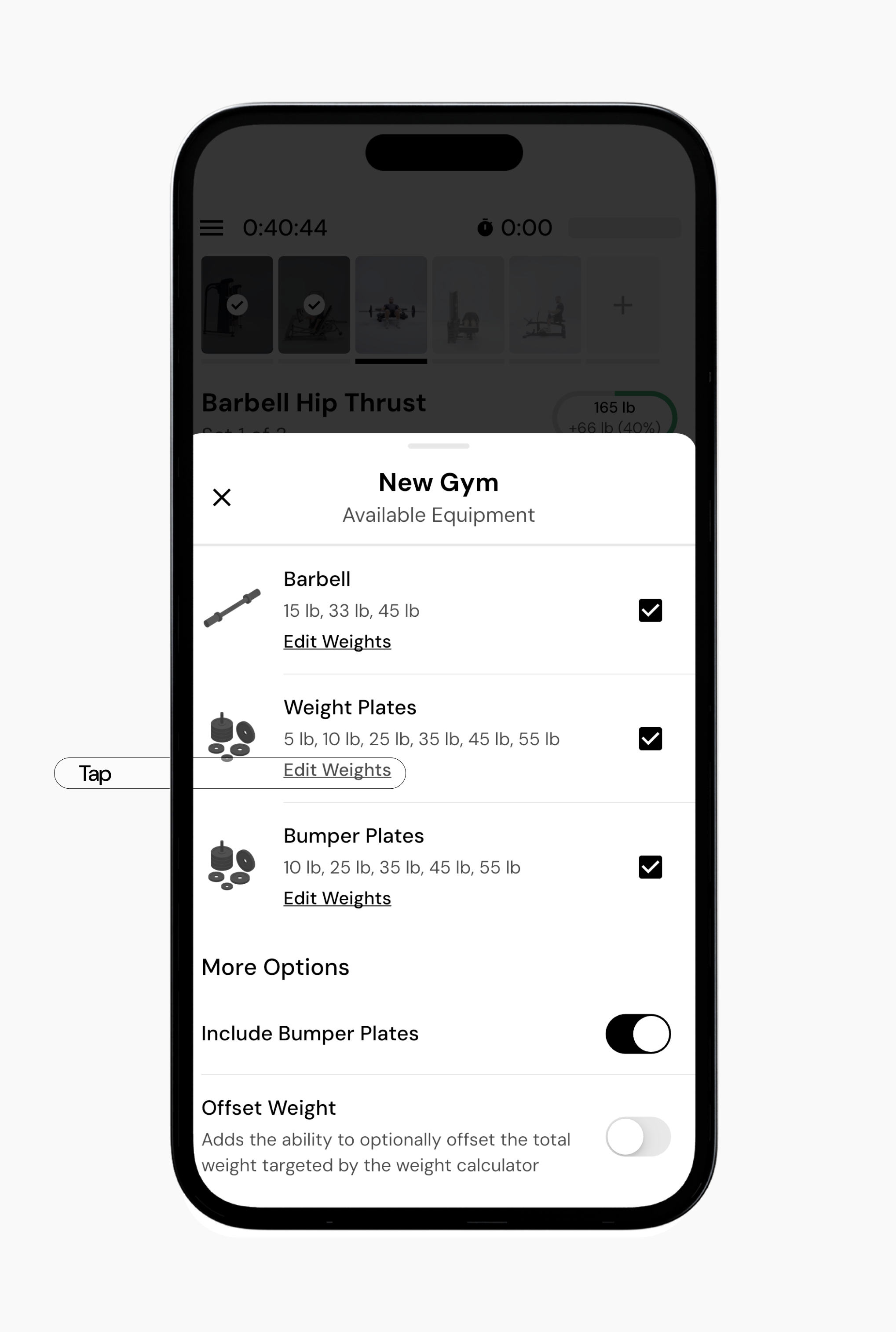
You can also toggle between pounds and kilograms for that specific equipment or exercise.
Now that you’ve learned how to use the plate calculator, you might enjoy one of these articles next:
Changing RIR During an Active Workout
