MacroFactor Workouts supports several different set types. Each set type reflects a specific training intent and can affect how the set behaves when you log it during a workout.
You can read more details about each training type here.
When creating a program or workout, or during an active workout, you can select different set types by tapping the set number.
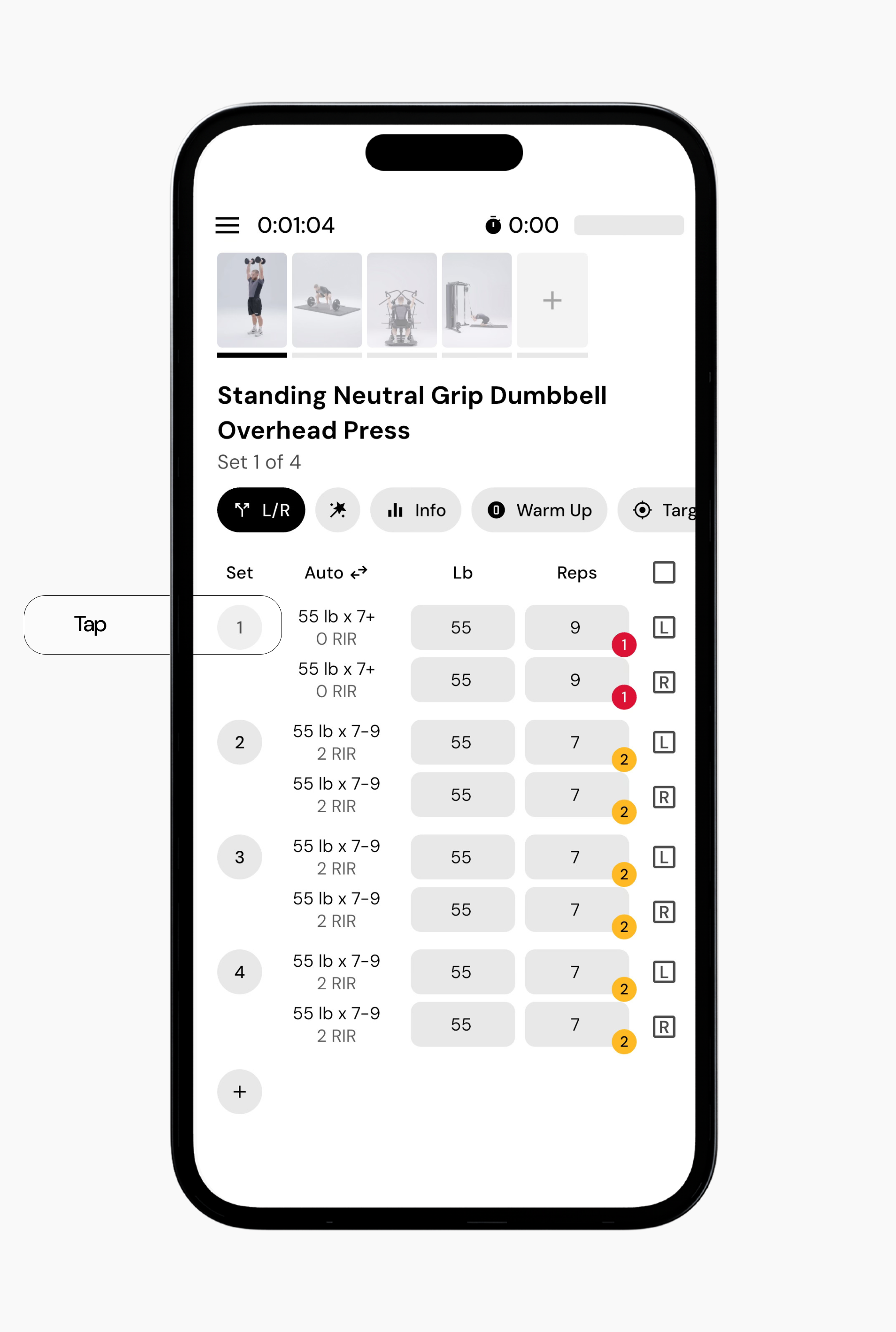
Tapping the set number will bring up different set types.
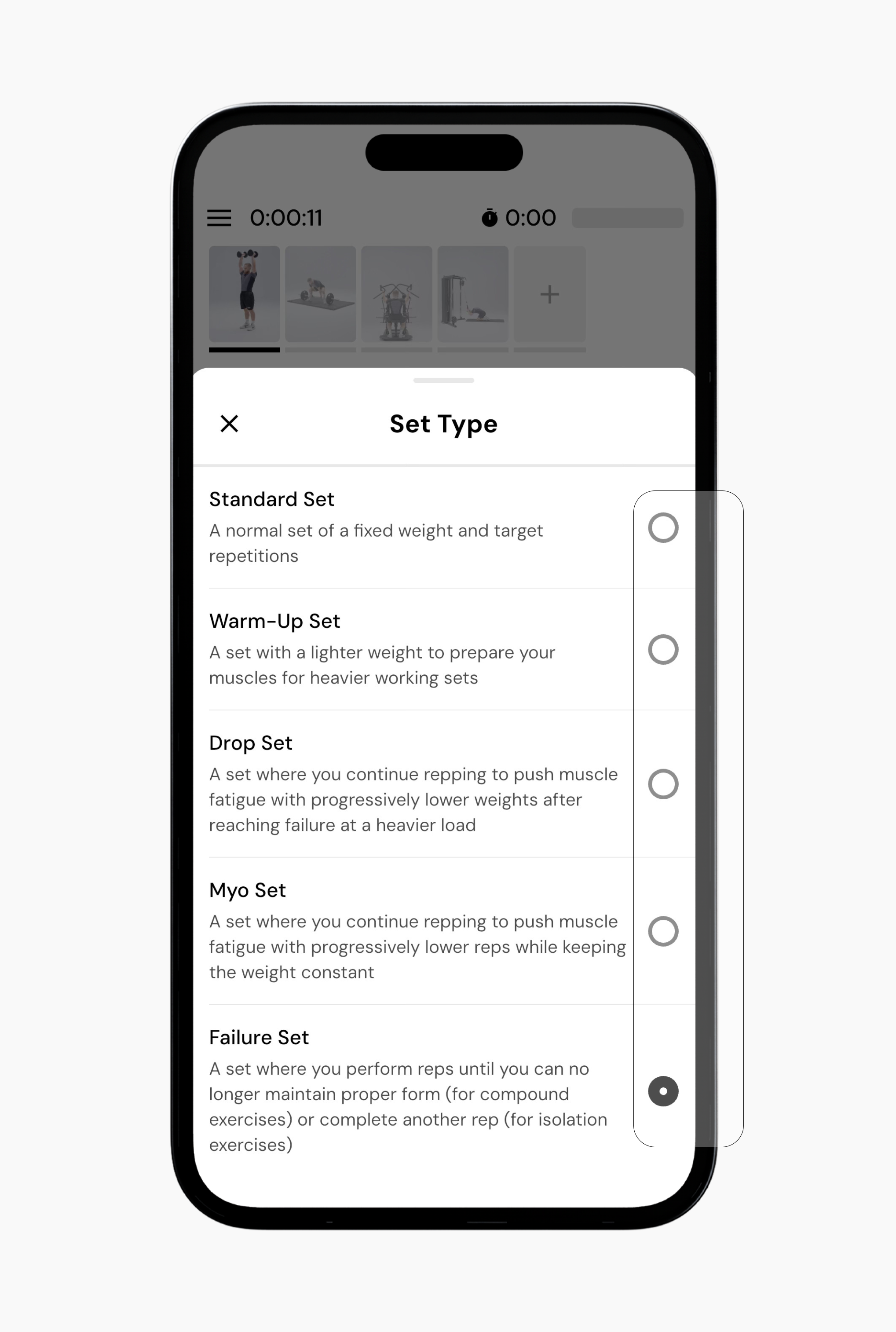
This is the default set type with a fixed weight and target rep range. You enter the weight and reps you performed, then mark the set as complete.
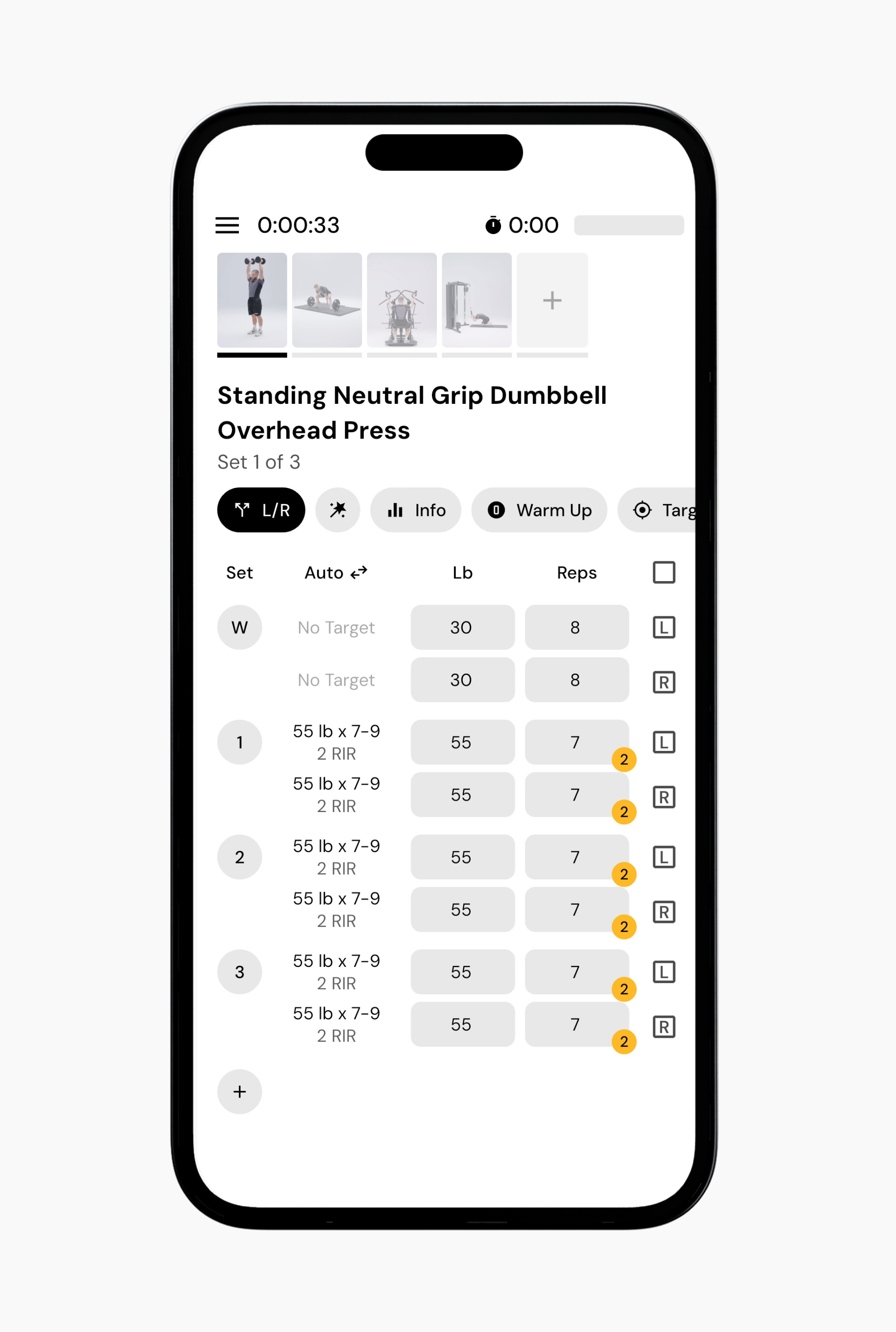
A lighter set used to prepare for heavier working sets.
Warm-up sets are labeled with a W. The weight is lower than your standard working sets and is intended to help you ease into heavier loads.
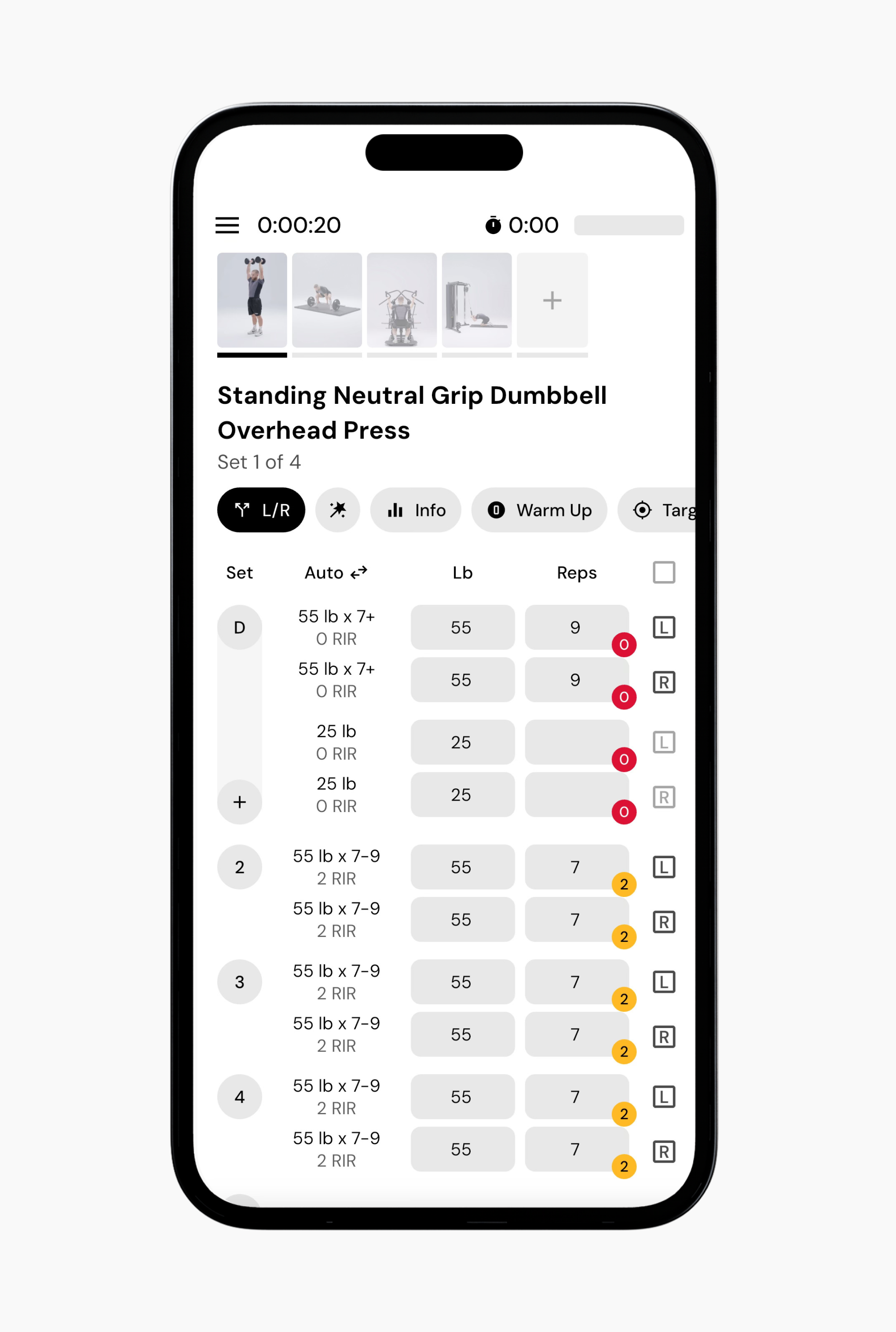
A set where you continue repping with progressively lighter weights after reaching failure or near failure at a heavier load.
Drop sets are labeled with a D and appear as a single set with multiple weight and rep entries. You log each weight decrease, and all entries are grouped together as one set.
A set where you perform an initial set, then continue repping with the same weight after very short rest periods.
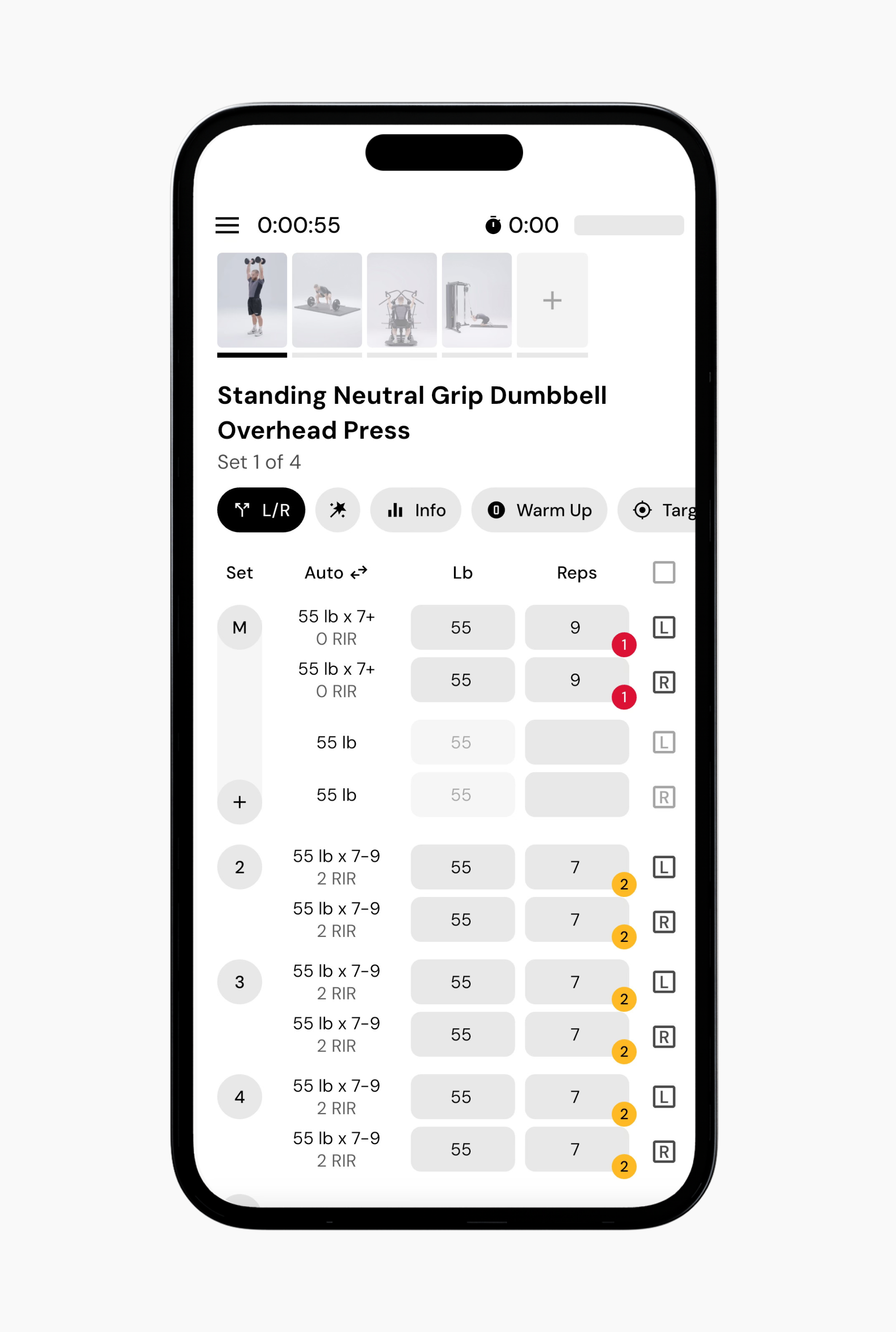
Myo sets are labeled with an M. You can log multiple brief rest-pause efforts at the same weight. Each entry represents another continuation, and all entries are grouped together.
A set performed until you can no longer maintain proper form for the exercise, also known as technical failure.
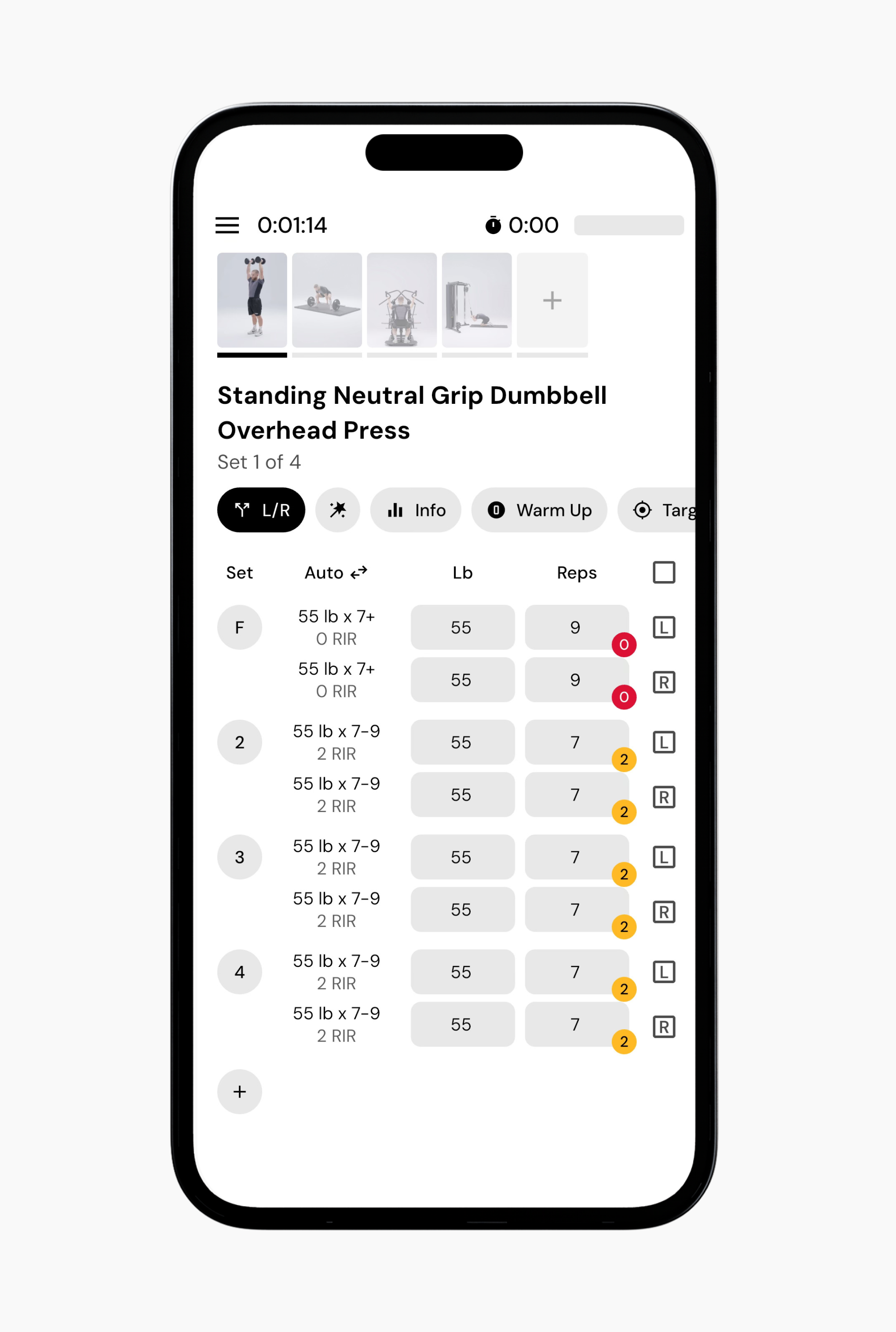
Failure sets are labeled with an F. You log the weight and reps at an RIR of zero to indicate the set was taken to technical failure.
Now that you’ve learned how to log different types of sets, you might enjoy one of these articles next:
What Are Myo Reps, Drop Sets, and Failure Sets?
Changing RIR during logging
Understanding Smart Progressions
