
Changing the number of cycles in a program lets you control how long the program runs before it resets. From a preference standpoint, shorter programs can feel easier to commit to or review more often, while longer programs reduce the need for frequent changes. From a training standpoint, shorter cycles can be useful when you want to experiment with new exercises, adjust volume sooner, or run focused blocks, while longer cycles can support consistency, gradual progression, and reduced decision-making over time.
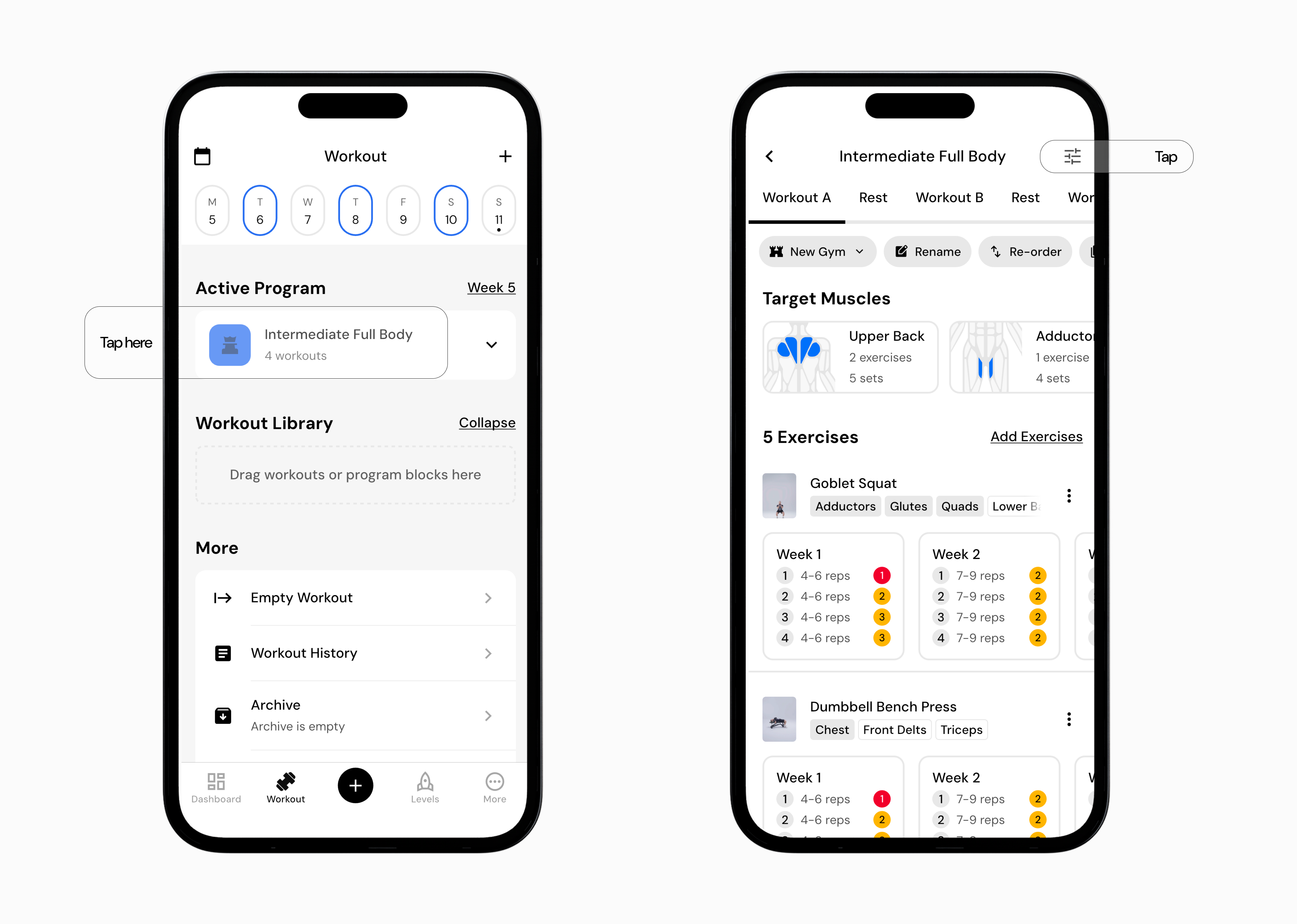
Go to the Workout tab.
Tap the program you want to edit.
Tap the program settings icon in the top-right corner.
At the top of the settings screen, adjust the number of cycles using the + or - buttons.
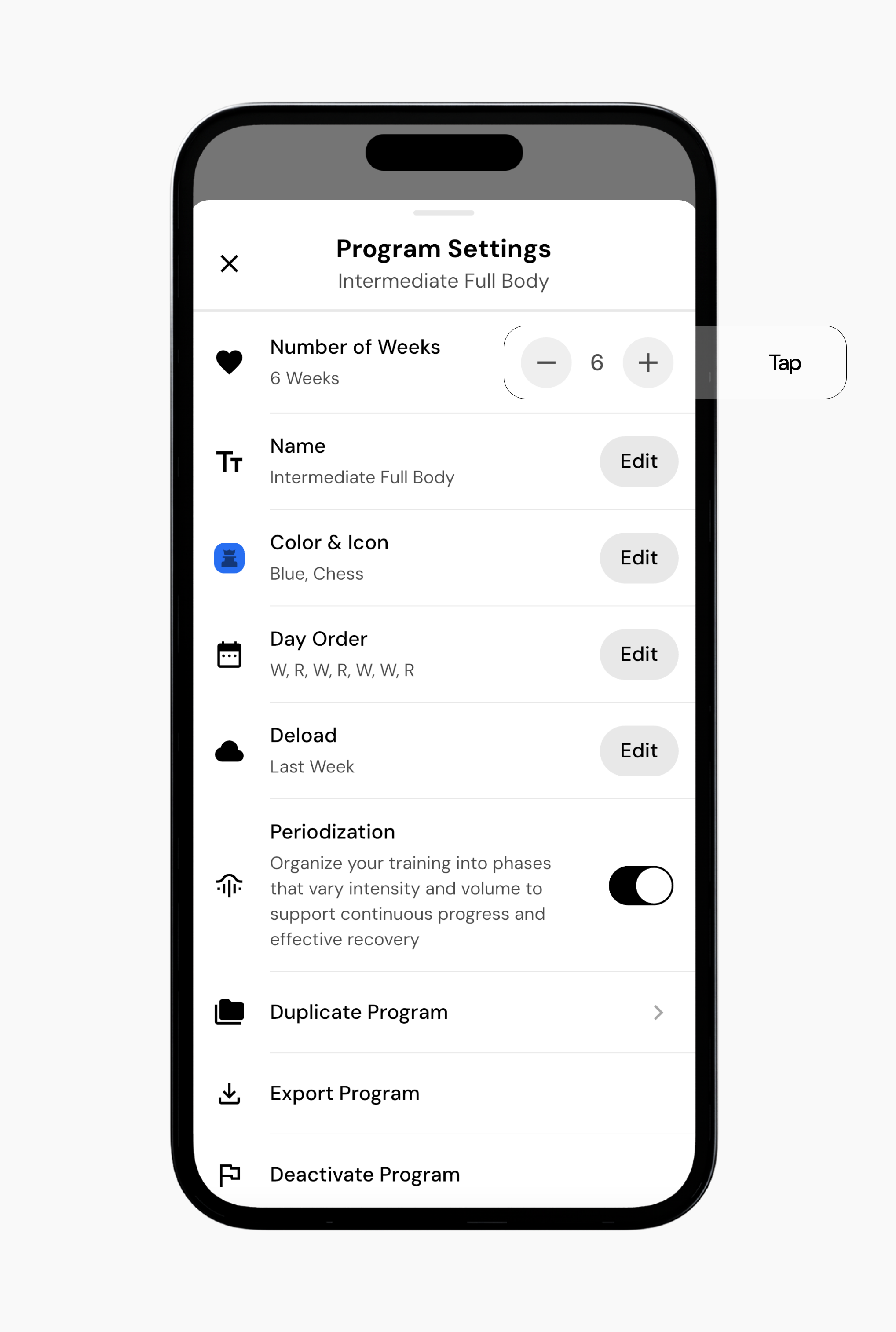
You can set the number of cycles anywhere from 1 to 52.
Tap X to save and close program settings.
Read next:
Now that you’ve learned about changing the number of cycles in a program, you might enjoy one of these articles next:
Deload First Cycle or Last Cycle
Change Program Schedule
Add or Remove Exercises to a Program