
To Add an Exercise
Go to the Workout tab.
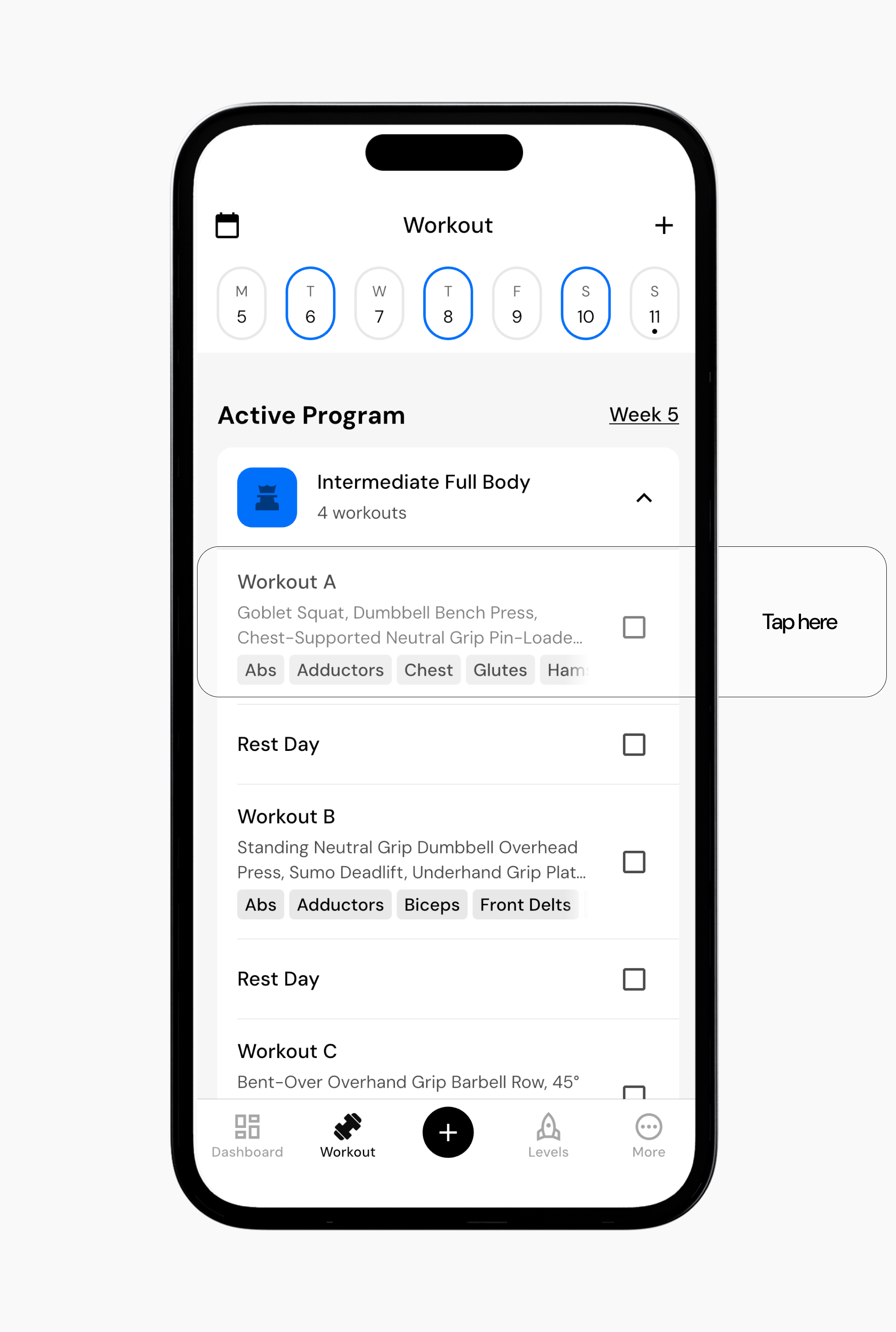
Tap the program you want to edit.
Select the workout day or rest day to which you want to add an exercise. You can add exercises to any day in your cycle.
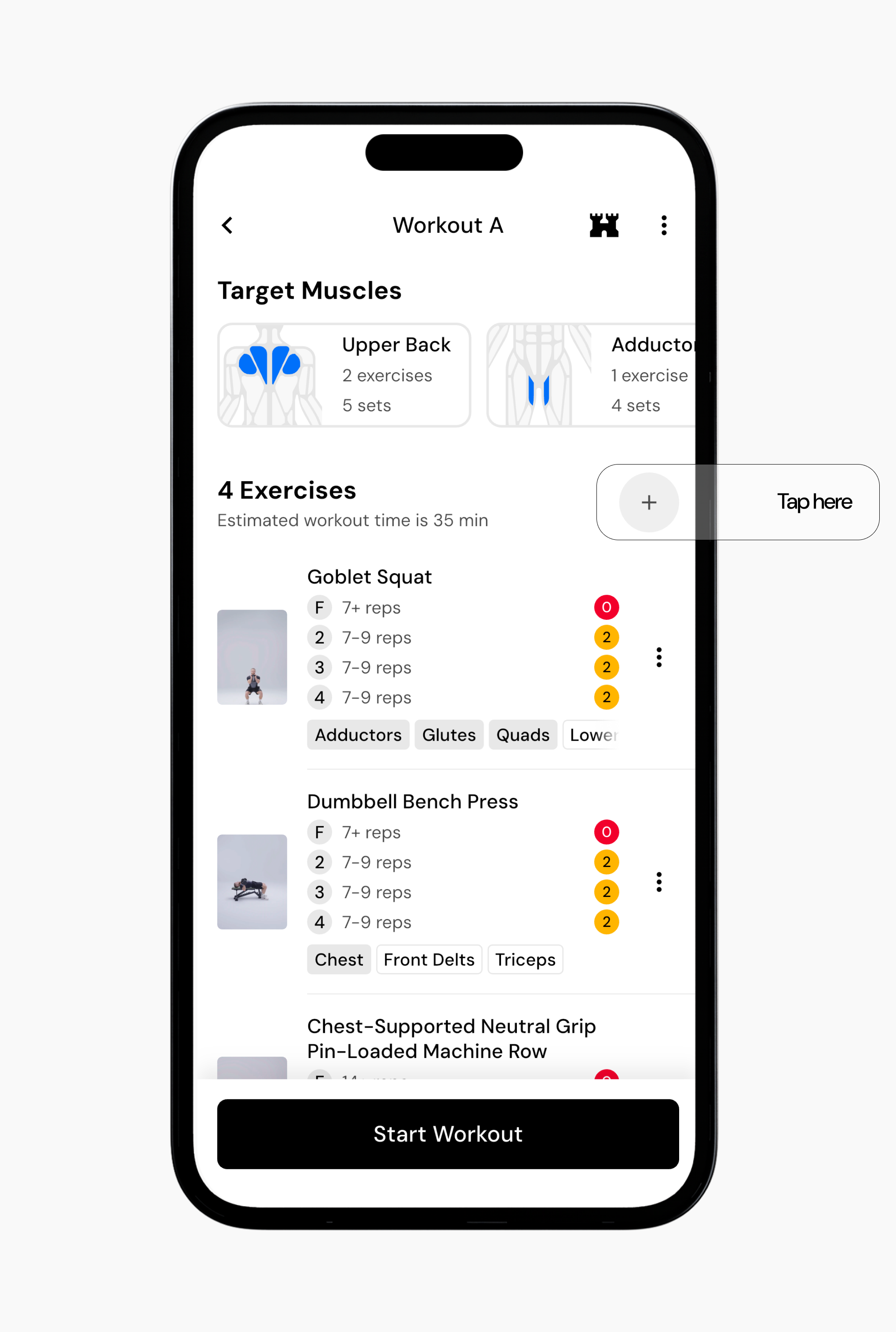
Tap Add Exercise next to the exercise count for that workout.
Search for the exercise you want to add, then tap the + button next to the exercise.
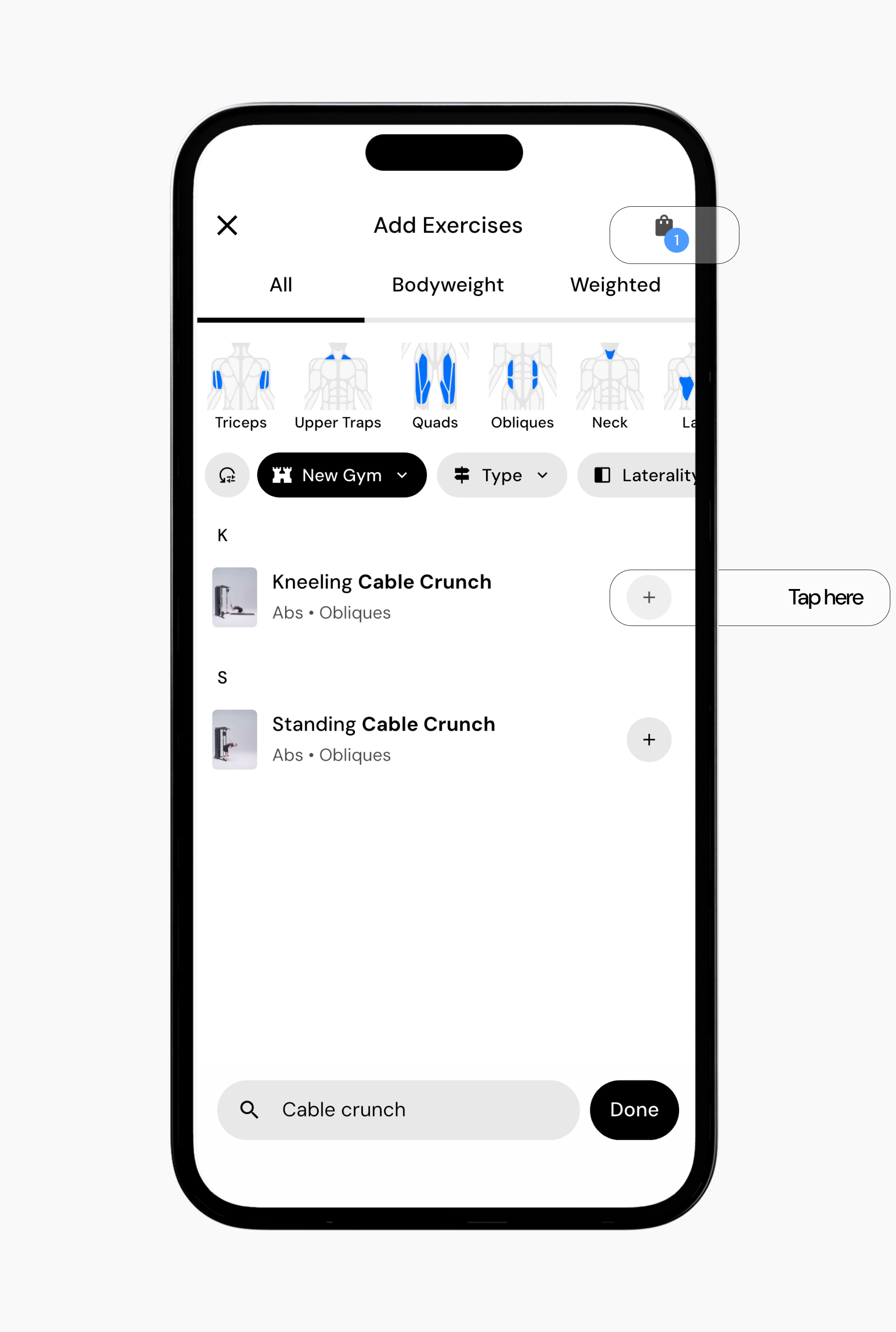
To add multiple exercises, continue searching and tap the + button for each exercise you want included in your workout.
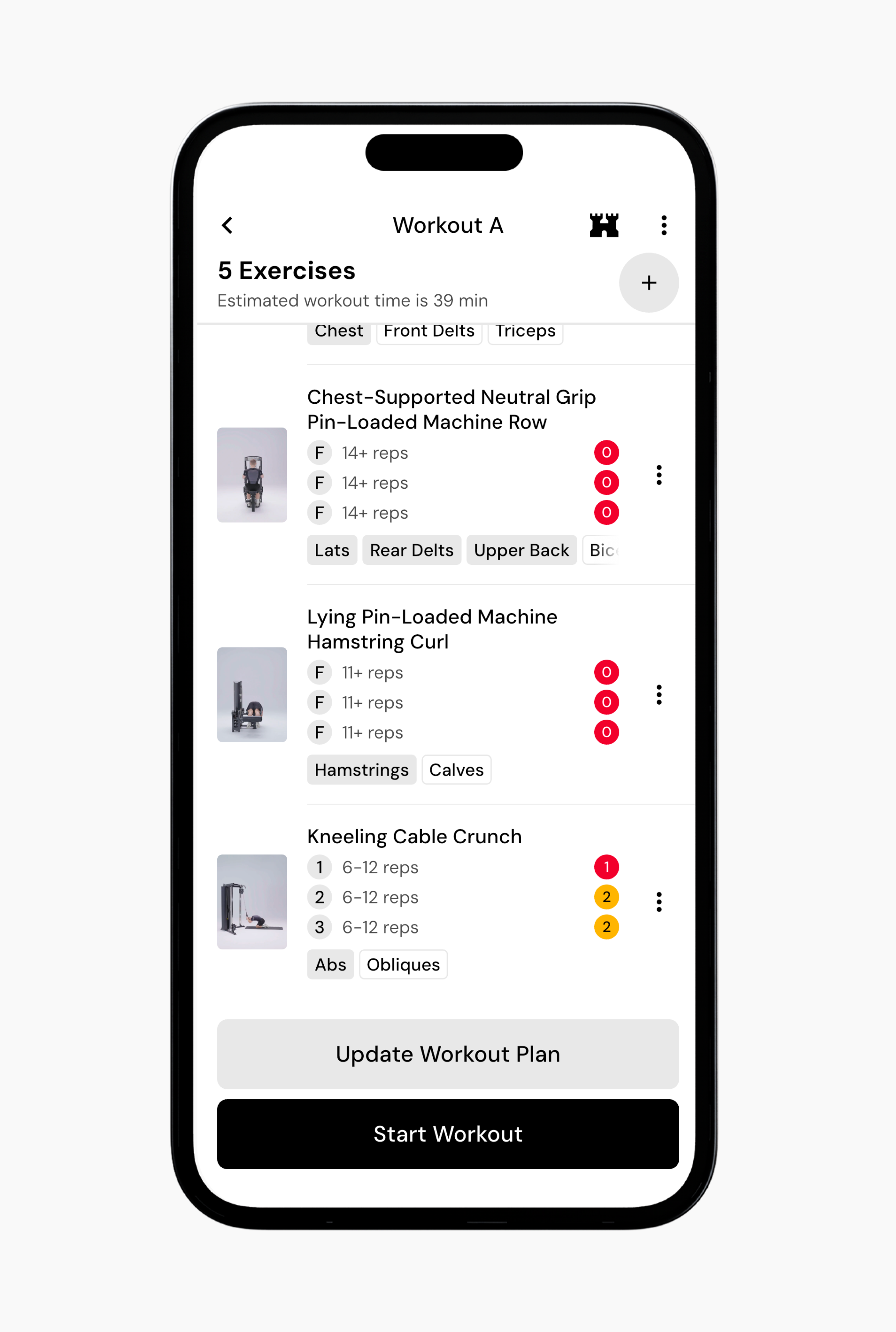
When you are finished, tap Update Workout Plan to make the exercise part of that workout, or Start Workout if it is a one-off addition.
To Remove an Exercise
Go to the Workout tab.
Tap the program you want to edit.
Navigate to the workout day you want to change.
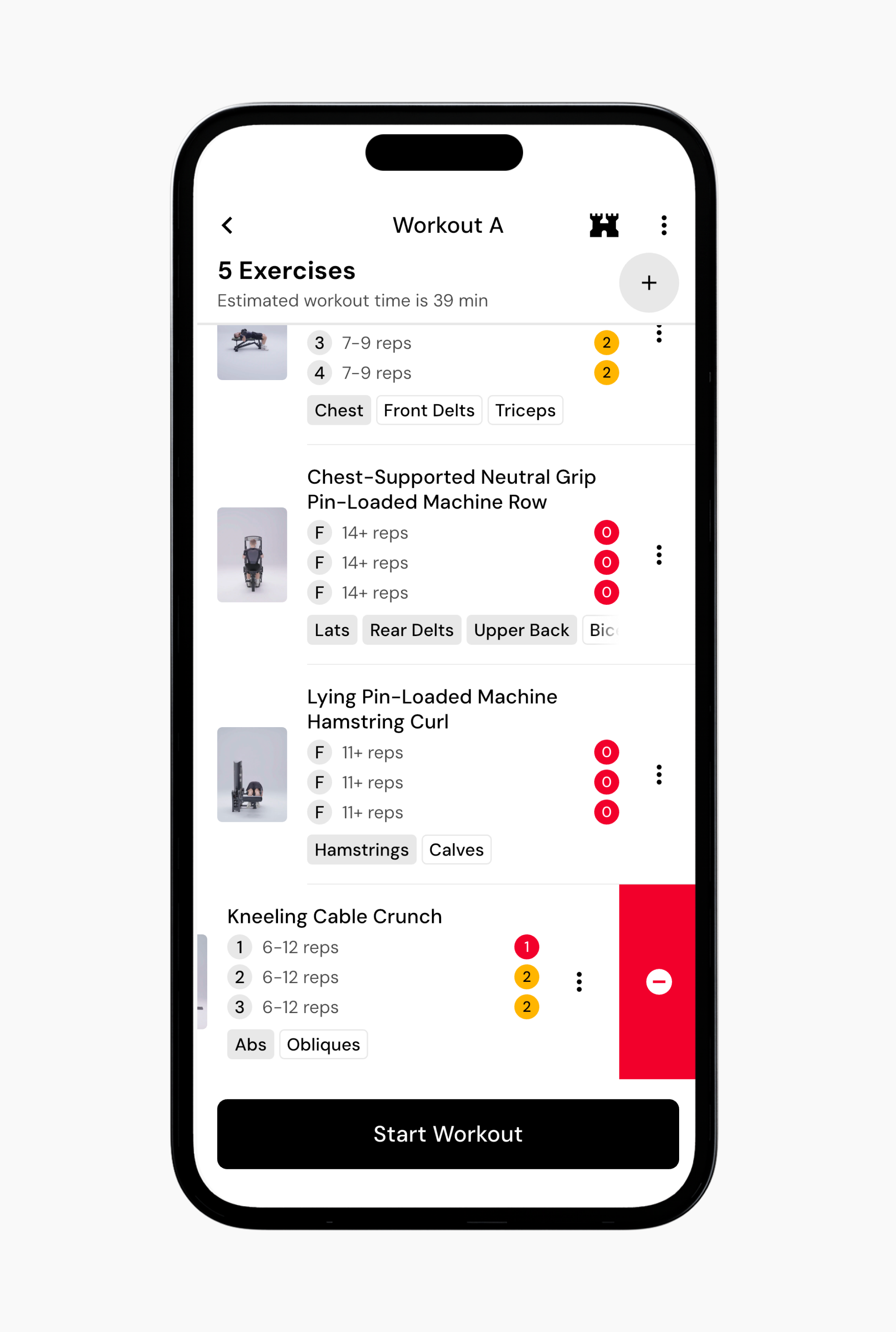
Scroll to the exercise you want to remove.
Swipe left on the right side of the exercise and tap Remove from workout.
Read next:
Now that you’ve learned how to add or remove exercises from a program, you might enjoy one of these articles next:
Swap Exercises
Reorder Exercises in a Program
Change Program Schedule