
Go to the Workout tab.
Under Active Program, tap the arrow on the right to expand your program.
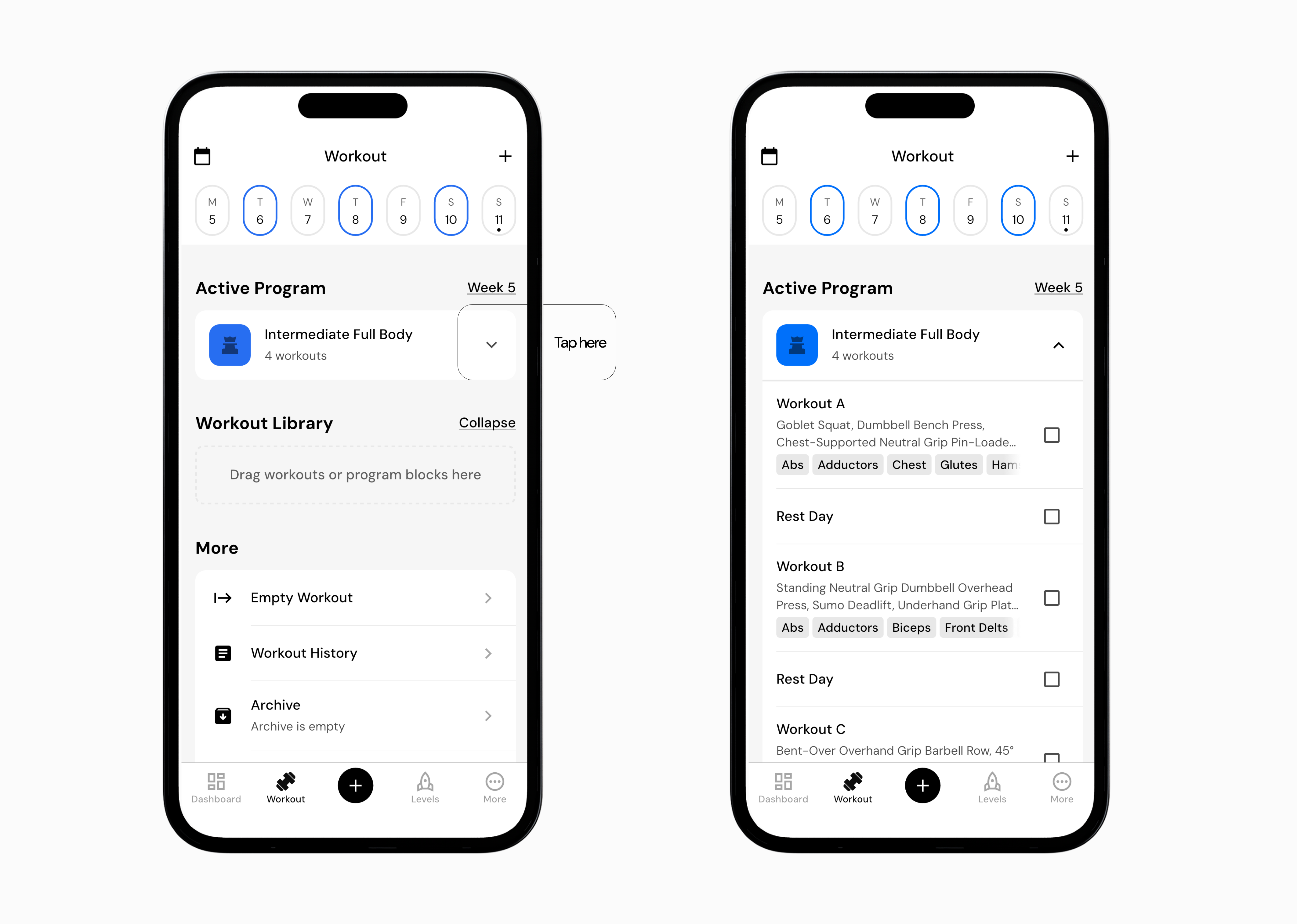
Review the workouts for the current week. This view also shows rest days and other scheduled workouts.
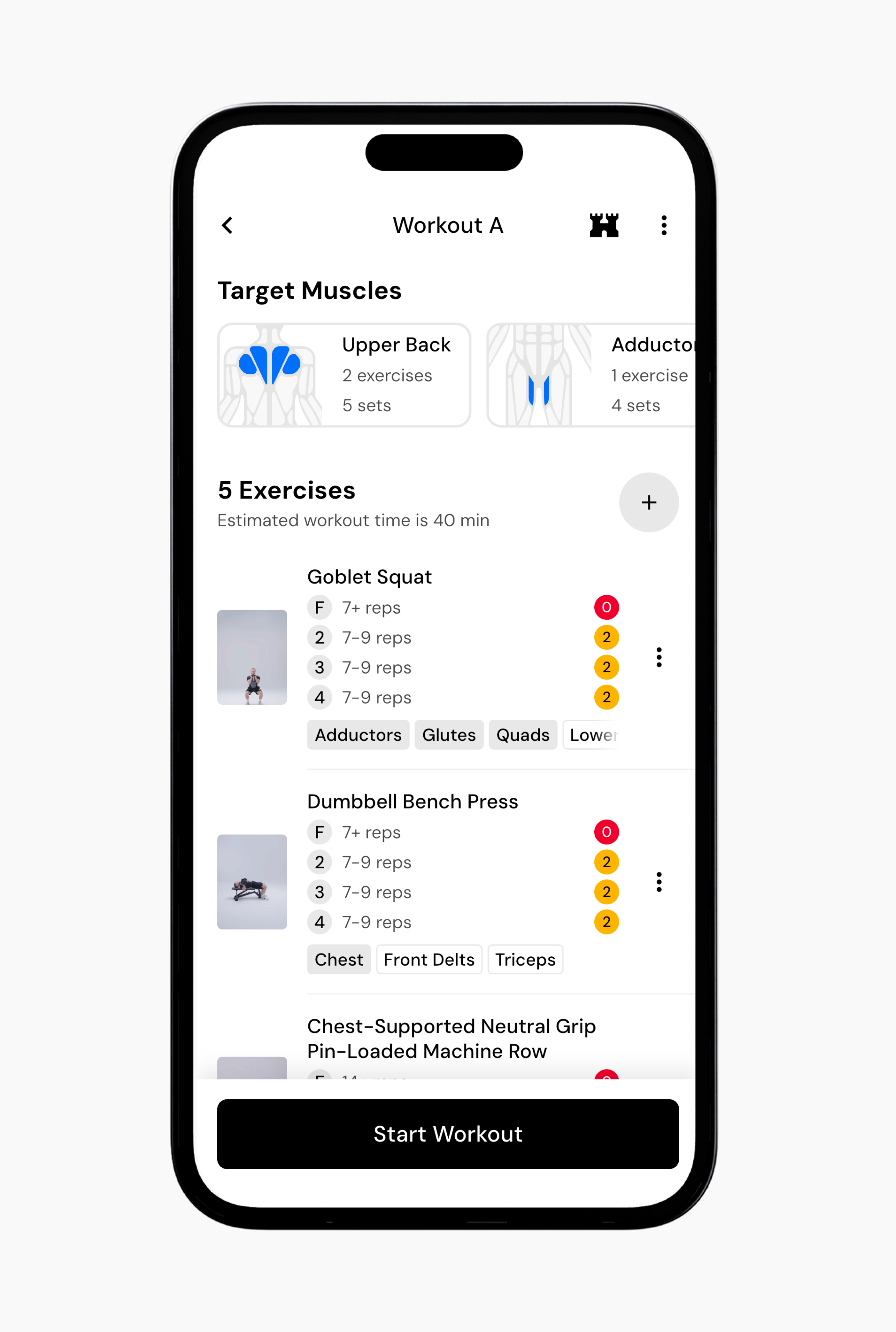
Tap the workout you want to complete. You can drag workouts to change their order if needed.
When you are ready, tap Start Workout.
Read next:
Now that you’ve learned about starting a new program, you might enjoy one of these articles next: