
The Levels tab shows the training volume each muscle group is receiving over time. It lets you view your logged workouts through a body map of muscle groups, helping you see where your training is actually going.
What Levels represent
Each bar represents the average number of sets per week for a muscle group over the selected time period. Levels only reflect logged training. They do not represent load, intensity, or effort.
Time periods
You can switch between different time ranges, including one week, one month, and three months, by tapping the arrow next to the underlined duration.
Front and back views
Tap the circular arrows icon to toggle between front and back body views to see different muscle groups more clearly.
Seeing exercise contributions
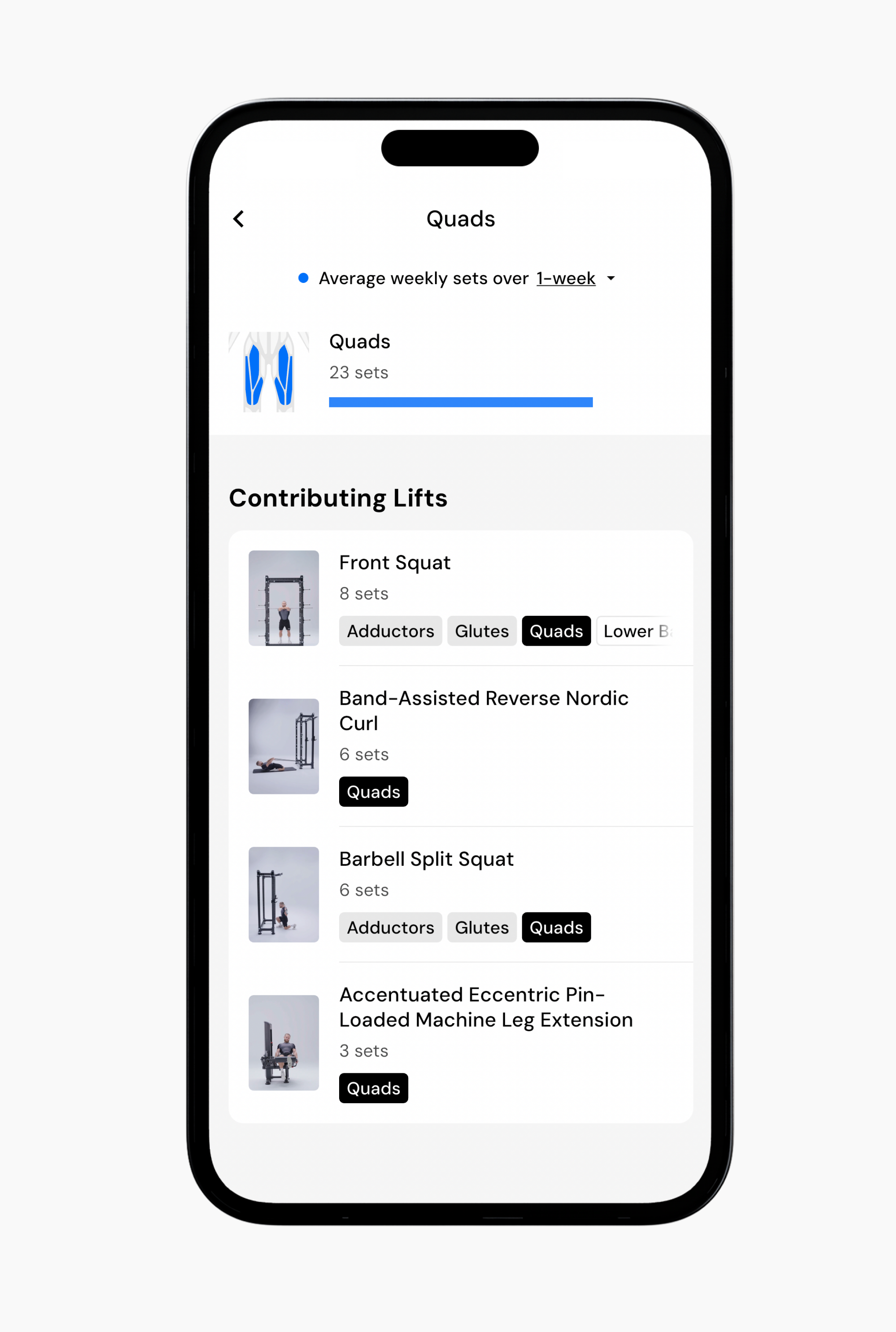
Levels also shows you which exercises are contributing to each muscle group’s total sets. This makes it easier to understand exactly where your training volume is coming from, not just how much volume you have logged.
If you tap on a muscle group, you will see a list of the exercises that contributed sets during the selected time period. Each exercise displays the number of sets performed and the muscle groups it targets, helping you quickly spot which movements are driving your training volume.
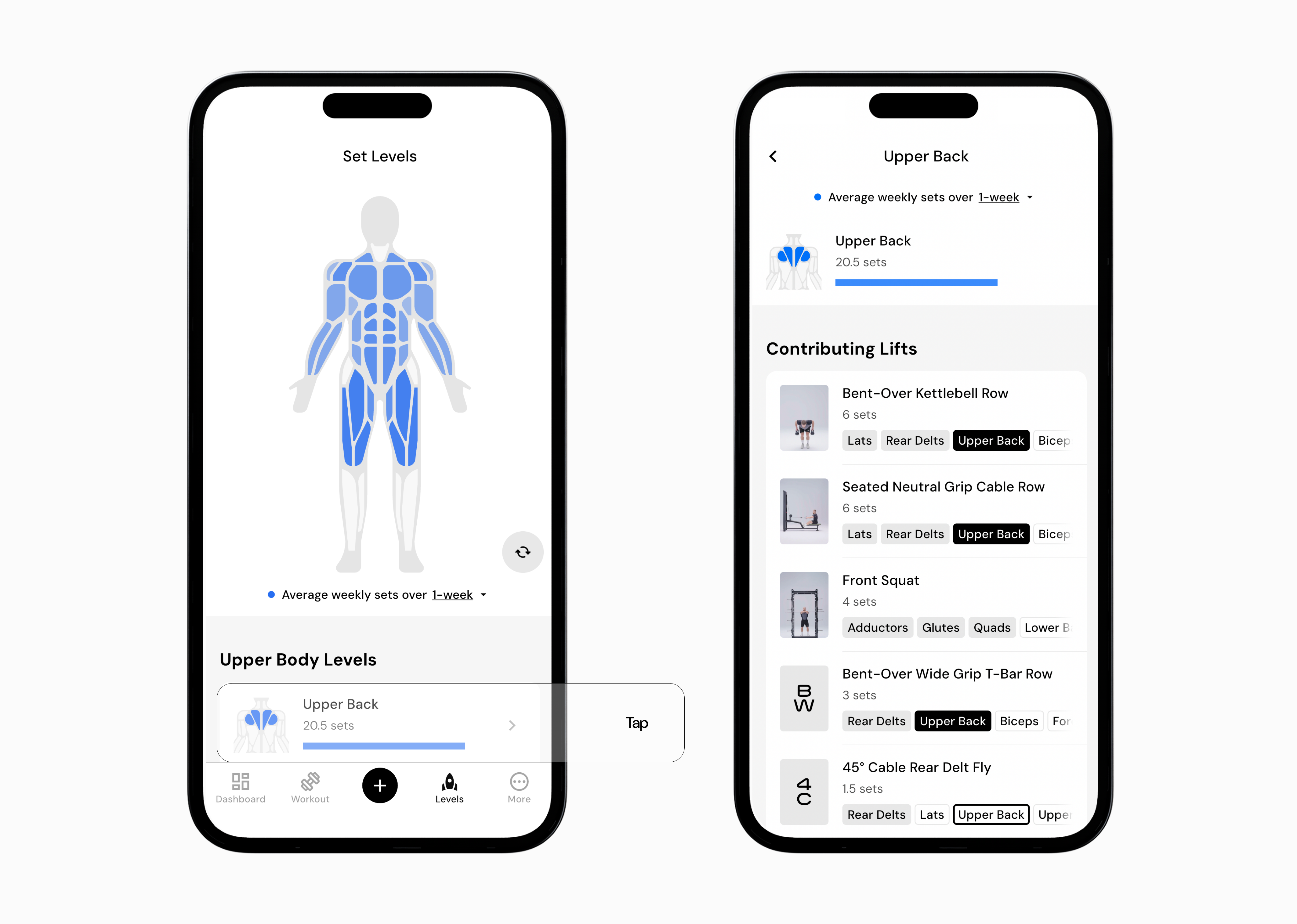
You can also review individual muscles within a broader muscle group. This allows you to look more closely at how specific areas are being trained and identify gaps or imbalances in your program.
Read next:
Now that you’ve learned about Levels, you might enjoy one of these articles next:
Muscle Groups
Viewing Sets and Volume Over Time
Viewing Exercise Performance Over Time