MacroFactor Workouts lets you import workouts or full programs using a spreadsheet file. But to ensure imports work correctly, the files must follow MacroFactor Workouts’s required formatting.
Importing is useful for:
Sharing workouts or programs with another MacroFactor Workouts user.
Moving a program between devices or accounts.
Using approved programs provided in spreadsheet format, such as purchased programs.
For editing and customization, using the in-app program editor is highly recommended.
Important notes before you begin
Only .xlsx files are supported.
Workouts and programs should be edited in the app, not in the spreadsheet.
Make sure that if you’re importing a program, you import it into a new Program, not a new Workout. This is a common mistake.
Go to the Workout tab.
Open the workout or program you want to export.
For programs: Tap Program Settings in the top-right corner, scroll down, and tap Export Program.
For workouts: Tap the three dots at the top of the workout, scroll down, and tap Export Workout.
The exported file will open with a Save icon in the bottom-right corner. Save the file to your desired location.
This exported file is pre-formatted and safe to use as a starting point for importing.
You can open the file to view its structure, but avoid changing:
Exercise names.
Column headers.
Overall formatting.
Even small changes to exercise names can cause the import to fail.
Tap the + button.
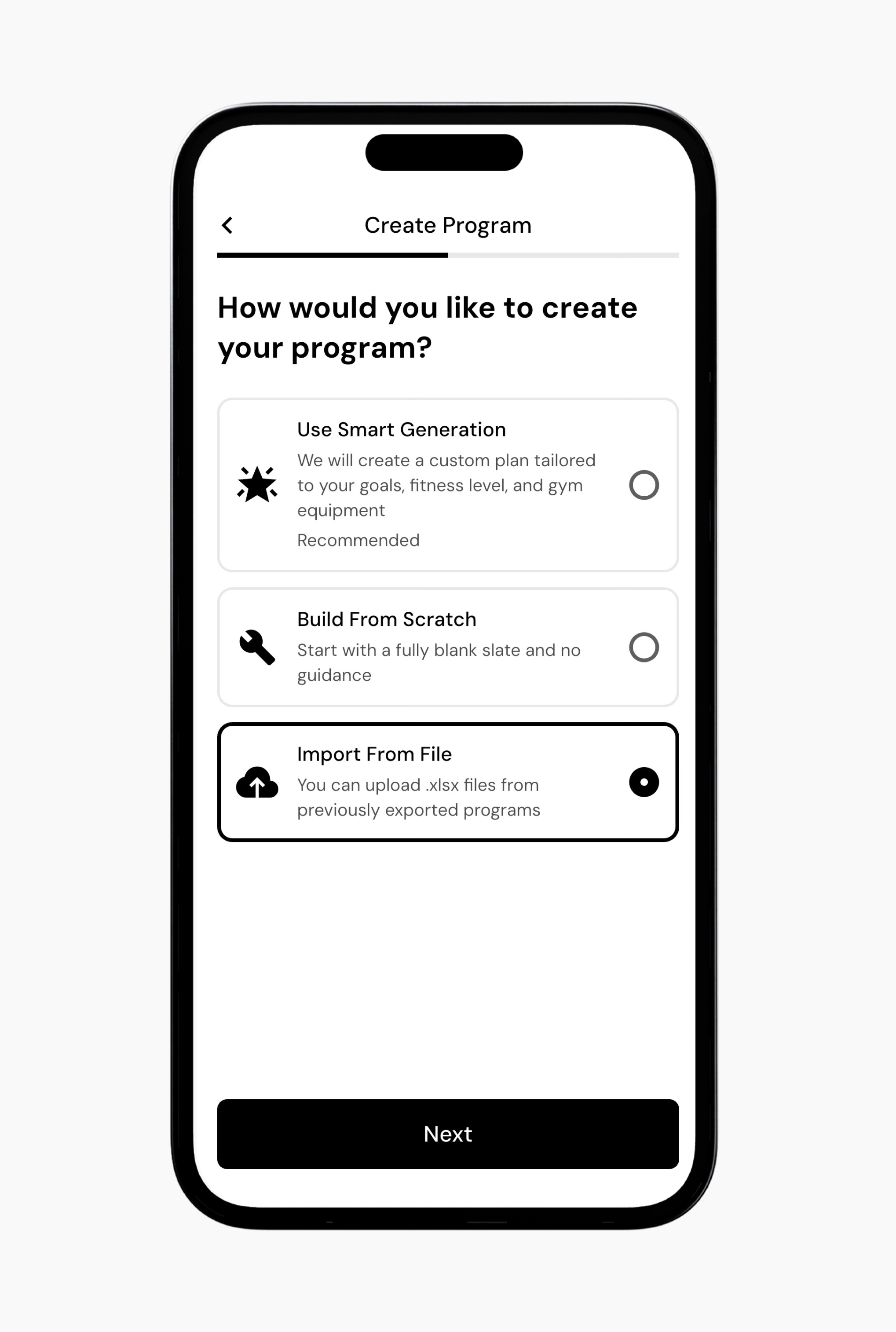
Create a New Program.
Select Import From File.
Upload the .xlsx file you want to import.
Confirm the import.
Save to Library or Activate Program to make it your active program.
Tap the + button.
Create a New Workout.
Select Import From File.
Upload the .xlsx file you want to import.
Confirm the import.
Save to Library.
If the file follows the required format, the workout or program will be added to your library.
Troubleshooting import issues
Ensure you’re importing an allowed file. For example, if uploading a Jeff Nippard program, note that it only supports all of his programs that are currently still offered. Meaning, if it is an old program that is no longer available for purchase, it will fail on import.
Do not alter the files. The formatting is specific and sensitive to changes.
Make sure you upload programs into Programs and workouts into Workouts.
Now that you’ve learned about importing a program or workout, you might enjoy one of these articles next:
Add or Remove Exercises from a Program
Create a New Workout
Create a Custom Exercise
