You can customize the available weights for pin-loaded machines in your gym profile to match the weight stack ranges available in your gym.
This can be helpful because different machines may have different weight ranges and increment patterns. For example, one machine may increase in 5 lb increments from 15 to 25 lb, 10 lb increments from 25 to 55 lb, and 15 lb increments from 55 to 190 lb.
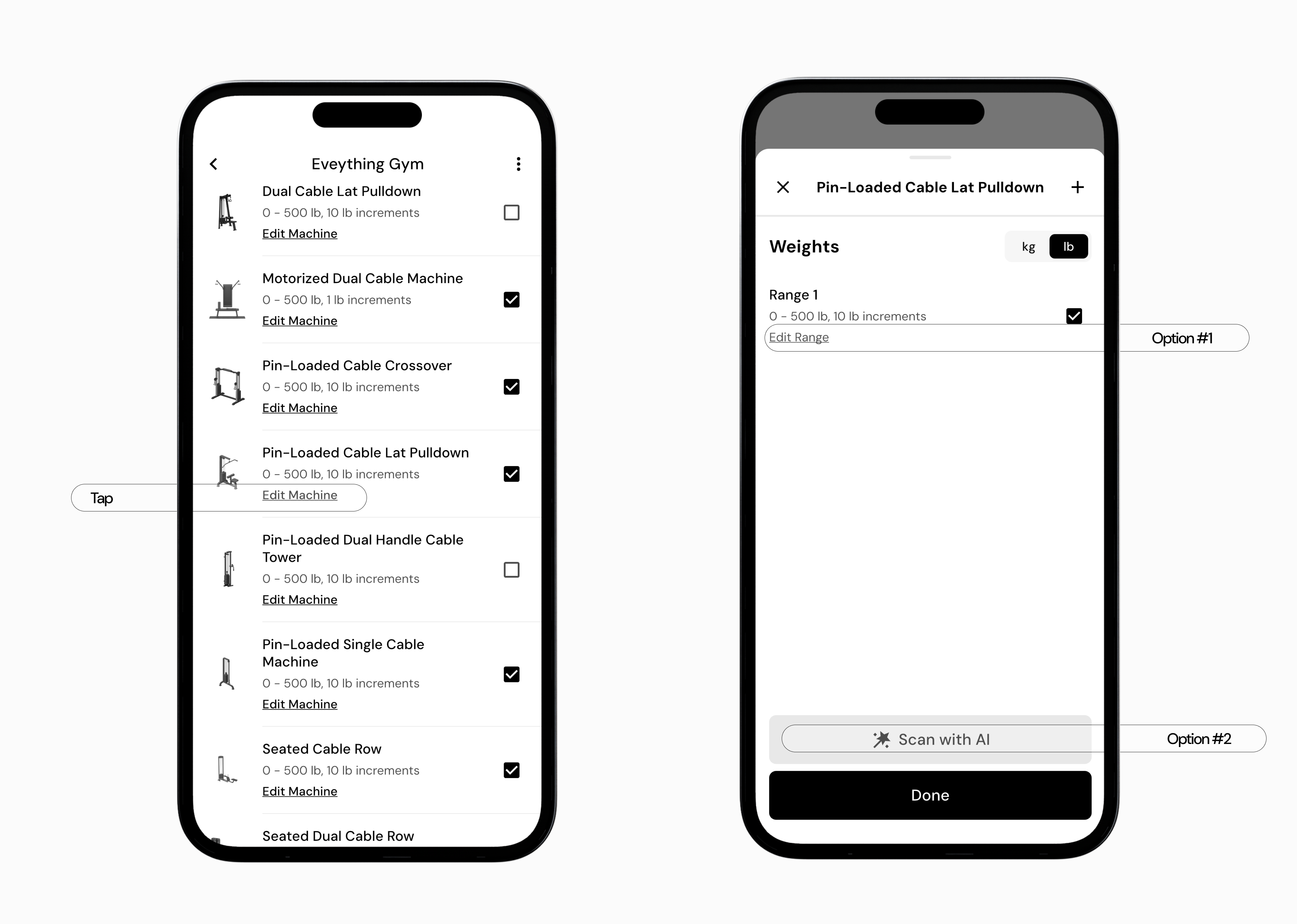
Go to More > Gym Profiles
Tap the pencil icon next to the gym profile you want to edit
Locate the machine you’d like to edit and tap Edit Machine
Using those steps, you’ll be brought to the weight stack range setup menu for that machine.
Each machine will have a default weight stack range, but your can edit the existing range, add additional ranges manually, add additional ranges using the Scan with AI tool, remove ranges, and add micro adjustments.
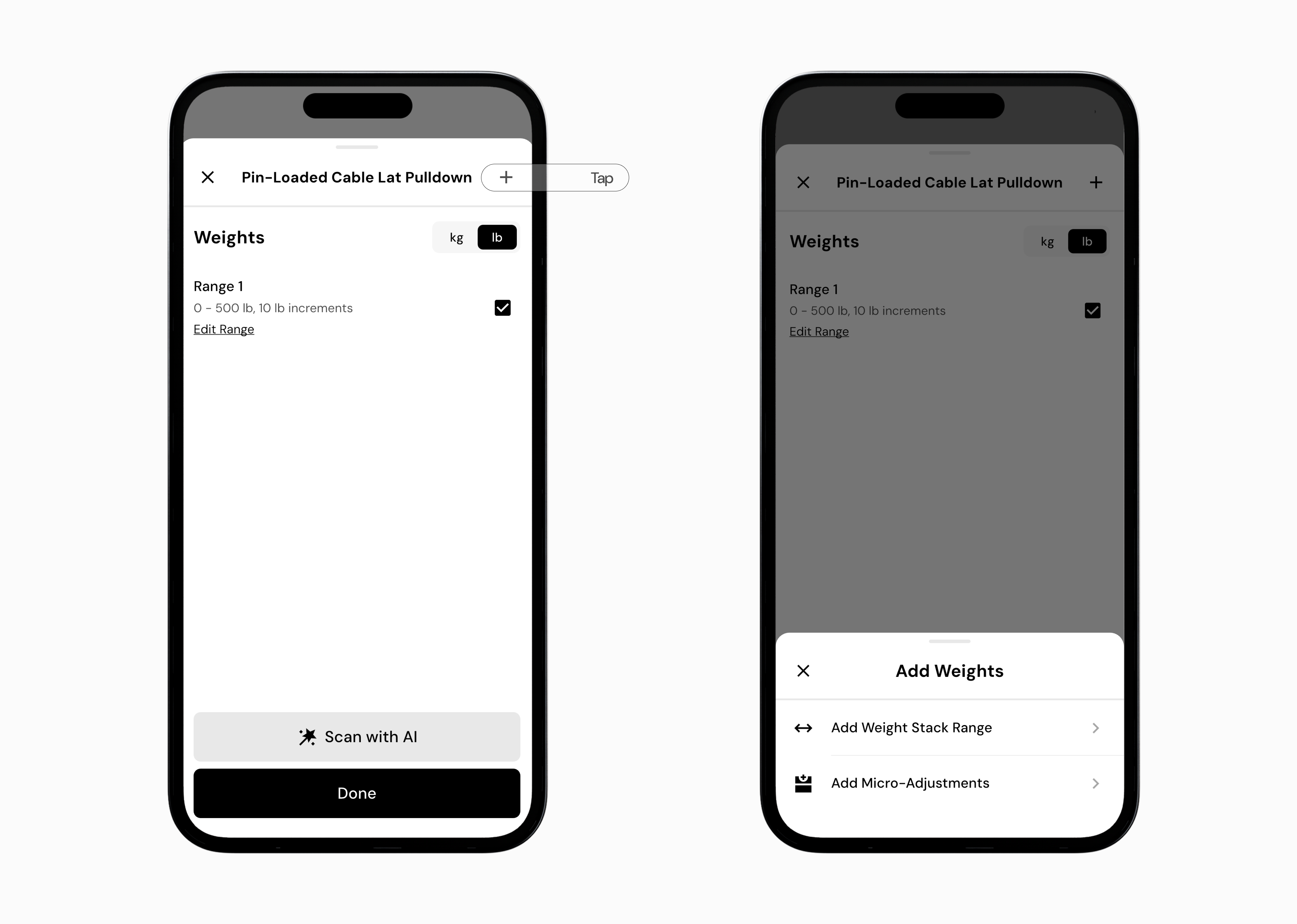
Tap the + icon in the top-right corner of the weight stack range menu
Tap Add Weight Stack Range
Enter the range start weight
Enter the range end weight
Enter the increment for that range
For example, if a machine goes from 15 lb to 25 lb in 5 lb increments, you would enter:
Range Start: 15 lb
Range End: 25 lb
Increment: 5 lb
This would create available weight options of 15, 20, and 25 lb. If that same machine then goes from 25 lb to 55 lb in 10 lb increments, you can add another range for that section of the stack.
You can also use Scan with AI to help generate weight stack ranges from a photo. To scan a weight stack:
Tap Scan with AI
Capture a photo of the weight stack, or upload an existing photo
Choose your unit preference
Add a short description, if needed
Tap Analyze
If you need to remove a weight stack range you can swipe left on the range you want to remove, and then tap on the remove icon.
Some machines allow for smaller weight adjustments in addition to the main weight stack. You can add these as micro adjustments by using the following steps:
Tap the + icon in the top-right corner
Tap Add Micro-Adjustment
Select the type of micro adjustment you wish to add
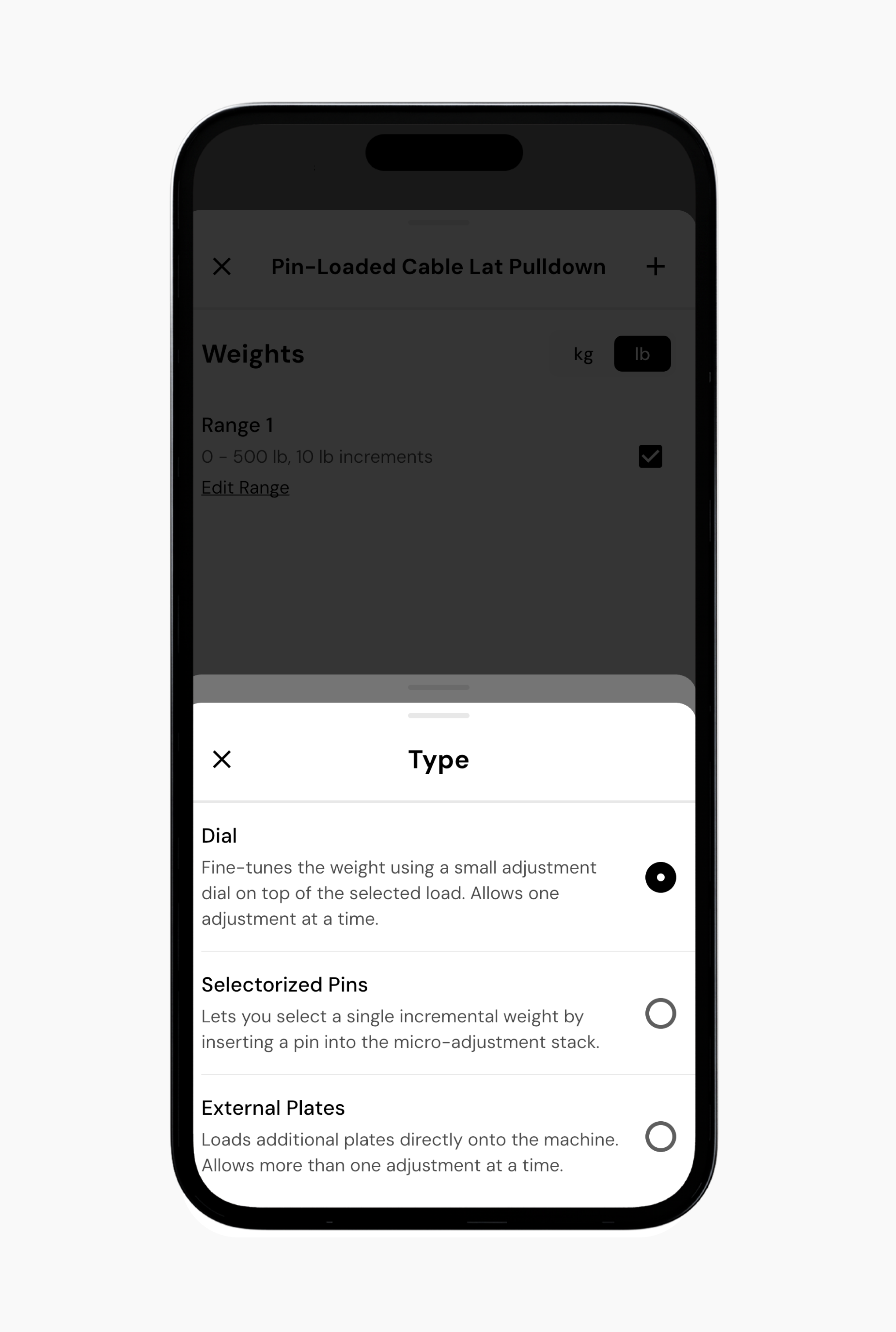
There are three types of micro adjustments currently available:
Dial - This fine-tunes the weight using a small adjustment dial on top of the selected load. This allows one adjustment at a time.
Selectorized Pin - This lets you select a single incremental weight by inserting a pin into the micro adjustment stack.
External Plates - This is used when you load additional plates directly onto the machine. This allows more than one adjustment at a time.
Once you’ve selected the micro-adjustment type, enter the weight for that adjustment
To add more micro-adjustments, tap on + Add Weight, or tap Done to save your changes.
Now that you’ve learned how to configure weight stack ranges, you might enjoy one of these articles next: